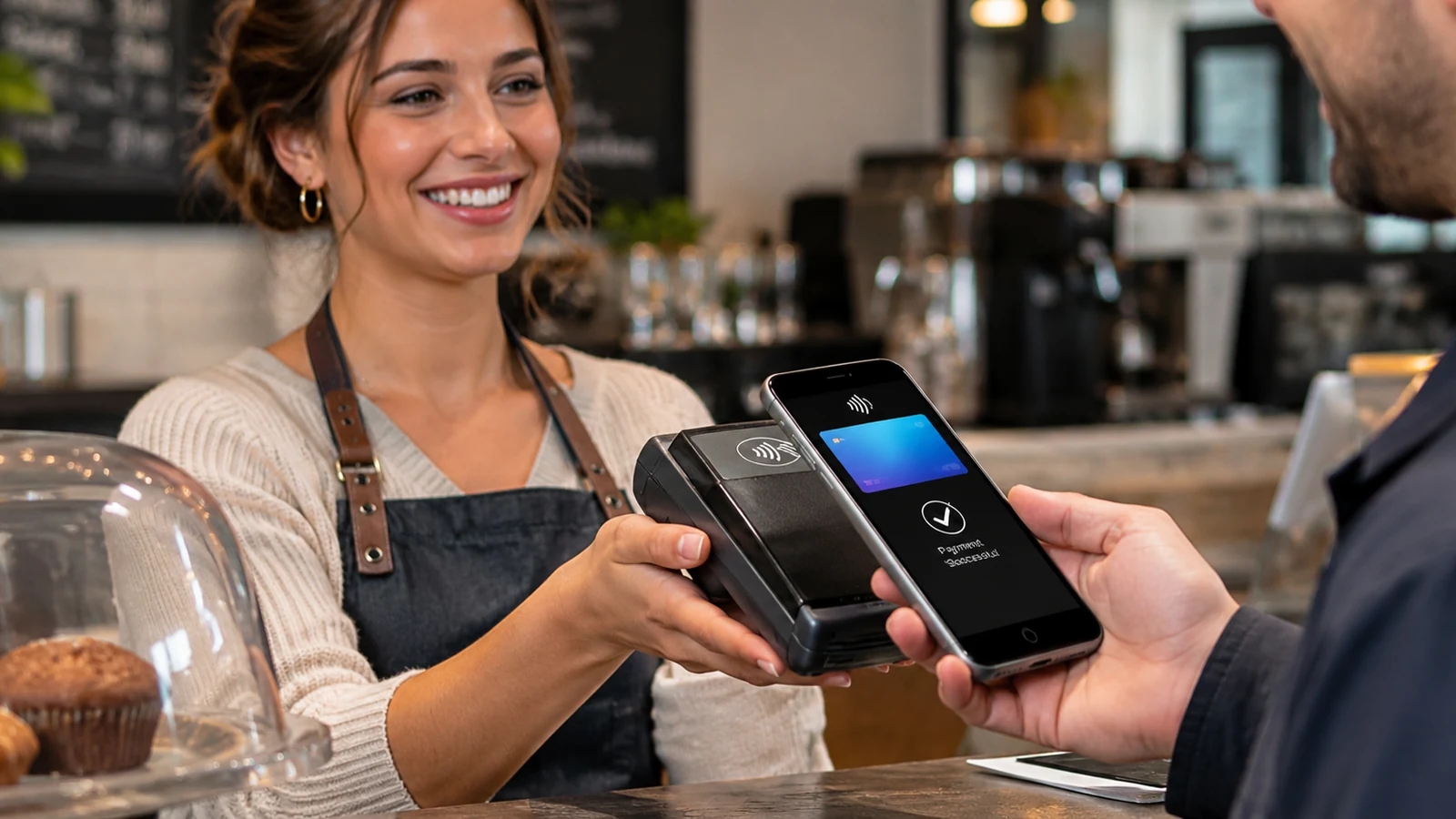
Mobile payment processing for a small business using a smartphone and contactless card reader
Flexible Payments for Small Businesses

Mobile Payment Processing for Small Businesses

Mobile payment processing gives small businesses the flexibility to accept credit and debit card payments beyond a traditional checkout counter. Whether you're a contractor collecting payment at a customer's property, a food truck serving customers at an event, or a retailer expanding checkout options, Valued Merchant Services helps you compare secure, compatible payment solutions that fit the way you work.

Smartphone Payment Options Mobile Card Readers Wireless Terminals Personalized Support

Available products depend on device compatibility, processor support, and merchant eligibility. No obligation to switch processors to request a review.

Payment Acceptance Beyond the Counter

Mobile Payment Processing: Accept Payments Anywhere

Customers expect convenient payment options, even when a business operates away from a traditional storefront. Mobile payment processing helps merchants collect payments at customer locations, outdoor events, temporary booths, and throughout their own facilities.

For example, a home service technician can collect payment after completing a repair. A restaurant server can bring a portable terminal to the table. Similarly, a retailer can add a mobile checkout station during a busy sales event.

However, not every mobile credit card processing system offers the same functionality. Some rely on compatible smartphones, while others use an external card reader, wireless terminal, or hosted payment page.

Therefore, the right solution should reflect your payment volume, operating environment, customer preferences, connectivity, and existing business software.

Choose Your Payment Technology

Compare Mobile Credit Card Processing Options

Businesses can accept mobile payments in several ways. Before selecting equipment, compare these four approaches to determine which one supports your specific transaction needs.

Phone-Based Payments

Tap to Pay on a Smartphone

Compatible smartphones can accept eligible contactless card and digital wallet payments through supported payment applications, without a separate physical card reader.

This approach can be especially convenient for businesses that need lightweight, portable checkout.

  • Works with supported NFC-enabled smartphones.
  • Accepts eligible contactless payment methods.
  • Reduces the need for separate reader hardware.
  • Requires a compatible payment application.

Supported devices, payment methods, and merchant account requirements vary.

Portable Card Acceptance

Mobile Card Reader for Business

A mobile card reader for business connects to a compatible smartphone or tablet, typically through Bluetooth or another supported connection.

Depending on the reader, merchants may accept inserted EMV chip cards and contactless transactions.

  • Useful at markets, events, and customer locations.
  • May support chip and contactless cards.
  • Can work with compatible mobile payment apps.
  • Requires checking reader and processor compatibility.

Card acceptance features depend on the selected hardware and application.

Dedicated Portable Equipment

Wireless Credit Card Terminals

Wireless terminals provide a dedicated mobile payment device for businesses that regularly process transactions away from a fixed checkout station.

Depending on the model, terminals can use Wi-Fi or cellular connectivity. Certain models also support tipping, receipts, and additional transaction features.

  • Suitable for restaurants and field services.
  • Dedicated hardware for employee checkout.
  • Available with different connection options.
  • May support additional merchant functions.

Hardware capabilities, connectivity, and monthly costs depend on the solution.

Remote Customer Payments

Mobile Invoicing and Payment Links

Some merchants prefer sending customers secure payment links rather than collecting cards face-to-face.

Supported payment gateways can provide hosted checkout pages for invoices, deposits, and other approved transactions.

  • Useful for invoices and service payments.
  • Customers pay using a secure checkout page.
  • May reduce manual collection of card information.
  • Can support remote payment workflows.

Payment links typically involve card-not-present processing, which has separate pricing and fraud considerations.

Find the Best Fit

Choosing a Mobile Card Reader for Business

The right mobile card reader for business depends on where you work, the payment methods your customers use, and how often you process transactions.

Additionally, consider how payments are recorded, whether employees need separate devices, and which applications already support your business operations.

Payment Solution Typical Equipment Best Application What to Confirm
Tap to Pay Compatible smartphone In-person contactless checkout Supported phone, app, and card types
Mobile Card Reader Smartphone or tablet with approved reader Portable chip and contactless checkout Hardware compatibility and connection reliability
Wireless Terminal Dedicated handheld payment terminal Regular mobile or tableside checkout Connectivity, battery life, receipts, and software
Payment Link Supported gateway and hosted checkout Invoices, deposits, and remote sales Gateway fees, fraud controls, and reporting

Features vary by processor, device, payment application, and merchant account. This comparison describes general capabilities, not guaranteed product specifications.

Solutions for Real Business Workflows

Accept Mobile Payments Wherever You Do Business

Different industries have different payment requirements. Therefore, mobile payment processing should be matched to how your business serves customers and completes transactions.

Contractors and Field Services

Collect customer payments after completing a repair, installation, or maintenance visit.

Prioritize invoice references, customer receipts, deposit collection, and reliable mobile connectivity.

Food Trucks and Mobile Vendors

Accept payments at temporary locations without relying on a permanent checkout.

Look for fast contactless acceptance, dependable connectivity, and efficient transaction reporting.

Restaurants and Hospitality

Offer compatible tableside payment options or collect payments from other customer service areas.

Compare tipping, split-check functions, digital receipts, and available POS integrations.

Markets and Pop-Up Retail

Bring payment acceptance to craft markets, festivals, trade shows, and temporary retail locations.

Consider portable equipment, battery life, inventory tracking, and return procedures.

Delivery and Mobile Sales

Help authorized employees collect payment at approved customer locations.

Consider user permissions, centralized reporting, payment confirmation, and transaction security.

Appointment-Based Services

Provide convenient payment collection after appointments or completed services.

Review refund handling, invoicing, receipt delivery, and customer information safeguards.

Make an Informed Decision

Seven Things to Check Before Selecting Mobile Payment Processing

Before you accept mobile payments, evaluate the complete solution. Processing costs matter, but equipment compatibility and everyday reliability are equally important.

  1. Accepted payment methods: Confirm support for contactless cards, digital wallets, EMV chip cards, and any other methods you need.
  2. Transaction classification: Ask how card-present, keyed, and remote transactions are processed and priced.
  3. Device compatibility: Verify the supported phones, tablets, operating systems, and payment applications.
  4. Connectivity: Test Wi-Fi or cellular coverage at the locations where your employees will take payments.
  5. Business integrations: Determine whether the payment system supports your existing POS, invoicing, or accounting workflow.
  6. Security requirements: Confirm applicable PCI requirements, supported security features, and employee access controls.
  7. Total operating costs: Compare processing fees, hardware purchases, subscriptions, gateway costs, and other applicable account charges.

Already Accepting Credit Cards?

We can review your current setup and help determine whether adding mobile payment capabilities makes financial and operational sense.

Request My Free Review
Transparent Cost Comparisons

Mobile Payment Processing Fees and Costs

Mobile payment processing pricing depends on the merchant account, transaction method, equipment, and payment software. Consequently, the lowest advertised transaction percentage does not always produce the lowest overall cost.

Transaction Fees

Compare processing rates, applicable card-network costs, and fees associated with different transaction methods.

For example, a supported in-person contactless payment may have different pricing than a manually keyed transaction.

Hardware and Software

Review mobile card reader purchases, terminal costs, optional accessories, payment app subscriptions, and gateway charges.

Additionally, certain wireless terminals may require cellular data service.

Ongoing Account Fees

Examine applicable monthly fees, minimum charges, PCI-related fees, and contractual obligations.

The goal is to understand what you pay throughout the year, not just for an individual transaction.

Example: Occasional Versus Daily Mobile Payments

Consider a merchant who accepts payments only at occasional weekend markets. A compatible smartphone payment option may reduce the need for dedicated equipment. However, monthly software charges could outweigh that hardware savings.

By comparison, a business accepting hundreds of mobile transactions each week may benefit from a dedicated wireless terminal. Faster employee workflows, centralized reporting, and available receipt functions could justify the additional equipment cost.

Neither option is automatically better. Instead, compare actual transaction volume, average ticket, equipment expense, and total processing fees.

Illustrative scenarios only. These are not customer testimonials, actual pricing quotes, or guaranteed outcomes.

Protect Your Business and Customers

Secure Mobile Payment Processing

Secure mobile payment processing requires more than downloading an app. Merchants should use approved payment solutions, compatible devices, appropriate security controls, and properly configured merchant accounts.

For mobile acceptance using commercially available smartphones and tablets, the PCI Security Standards Council's Mobile Payments on COTS (MPoC) standard establishes requirements for qualifying payment acceptance solutions.

However, no payment application automatically guarantees that an entire merchant operation is PCI compliant. Businesses still have responsibilities for protecting cardholder information, securing devices, and following applicable payment requirements.

Mobile Payment Security Best Practices

  • Use supported devices and approved payment applications.
  • Keep operating systems and payment software updated.
  • Protect devices with appropriate authentication and access controls.
  • Never store card details in unsecured notes, photos, or messages.
  • Train employees on safe payment collection and refunds.
  • Confirm successful authorization before treating a sale as paid.

Learn more from the PCI Security Standards Council's Mobile Payments on COTS resources .

Experience and Personal Service

Why Choose VMS for Mobile Credit Card Processing?

Valued Merchant Services has helped businesses nationwide evaluate payment technology and merchant processing services since 2006. We understand that mobile credit card processing decisions involve more than purchasing a reader.

Guidance Based on Your Business

We help compare eligible smartphones, mobile card readers, wireless terminals, and payment applications according to your operational requirements.

Processing Cost Comparisons

We review transaction pricing, applicable account fees, hardware costs, and compatible processing arrangements.

Real Human Support

Our team helps merchants understand available setup and support resources. Eligible processing programs include 24/7 support.

Our approach is built around people before profits. If your current solution is already the better fit, we will tell you rather than recommend an unnecessary processing change.

Chris Del Grande, President and Co-Founder of Valued Merchant Services, has helped guide the company's merchant services operations since its founding in 2006. Our goal is to help businesses make informed payment technology decisions based on practical needs.

Getting Started

How to Start Accepting Mobile Payments

Getting started with mobile payment processing begins with choosing the right equipment and confirming account compatibility. VMS can help you work through the following steps.

Review Your Business Needs

Tell us where you take payments, your transaction volume, your preferred equipment, and your existing processing setup.

Compare Payment Solutions

Evaluate eligible payment apps, mobile card readers, terminals, pricing, and supported integrations.

Complete Setup and Testing

If you move forward, complete applicable merchant approval, device configuration, and transaction testing.

Begin Accepting Payments

Train employees on transactions, receipts, refunds, daily reporting, and support procedures.

Account approval, equipment delivery, and activation times depend on the selected provider and merchant requirements.

Frequently Asked Questions

Mobile Payment Processing FAQs

Can I accept credit card payments directly on my phone?

Yes. Certain compatible smartphones can accept eligible contactless credit and debit card payments through supported Tap to Pay applications. Device compatibility, processing support, and software availability must be confirmed.

What is the best mobile card reader for business?

The best mobile card reader for business depends on your payment volume, preferred devices, connectivity, and required payment methods. Compare compatible readers, their transaction features, processing fees, and available support before choosing.

Can I accept mobile payments using Apple Pay or Google Pay?

Many compatible contactless payment solutions accept eligible payments from Apple Pay and Google Pay. The exact options depend on supported equipment, software, processor, and payment networks.

Do I need a separate card reader to accept mobile payments?

Not necessarily. Some compatible smartphones support contactless payment acceptance directly. However, businesses needing additional chip-card capabilities or dedicated payment equipment may prefer a supported card reader or wireless terminal.

Is mobile credit card processing secure?

Mobile credit card processing can support secure transactions when businesses use appropriate payment solutions, approved devices, and required security practices. Merchants remain responsible for applicable PCI compliance and safe payment handling.

Will mobile payments work without Wi-Fi?

Many mobile systems work over an available cellular connection. Some providers offer limited offline features, but these may involve delayed authorization, restrictions, and additional risk. Confirm the specific provider's requirements before relying on offline payment collection.

Are mobile payment processing fees higher?

Not necessarily. Processing costs depend on the merchant account, transaction method, card type, pricing structure, and provider. Compare both transaction fees and recurring equipment or software costs to understand total expense.

Can I use mobile payments with my current merchant account?

Possibly. Compatibility depends on your existing processor, payment gateway, equipment, and account configuration. VMS can review your current arrangement before recommending any changes.

Can mobile payment systems provide receipts and tips?

Many supported mobile applications and portable terminals offer tipping and digital receipts. Additional features vary, including printed receipts, reporting, and integrations. Confirm the specific product's functionality before implementation.

How quickly can I begin accepting mobile payments?

Setup time depends on merchant approval, equipment availability, account compatibility, and software configuration. Existing merchants with supported devices may have fewer setup requirements than businesses opening a new merchant account.

Can VMS review my existing processing without requiring me to switch?

Yes. VMS can help assess your existing payment arrangement, compare available mobile payment solutions, and explain potential benefits and costs. A consultation does not obligate you to change providers.

Related Merchant Resources

Explore More Payment Processing Solutions

Mobile payments are one component of your overall payment acceptance strategy. Learn about related processing services and equipment before making a final decision.

Find the Right Payment Solution

Ready to Accept Mobile Payments?

Tell us how your business collects payments. We'll help compare mobile card readers, compatible smartphones, wireless terminals, and processing options that make sense for your operations.

Valued Merchant Services has served businesses nationwide since 2006. No obligation to switch processors. Products and services are subject to availability, compatibility, eligibility, and approval.

Menu