
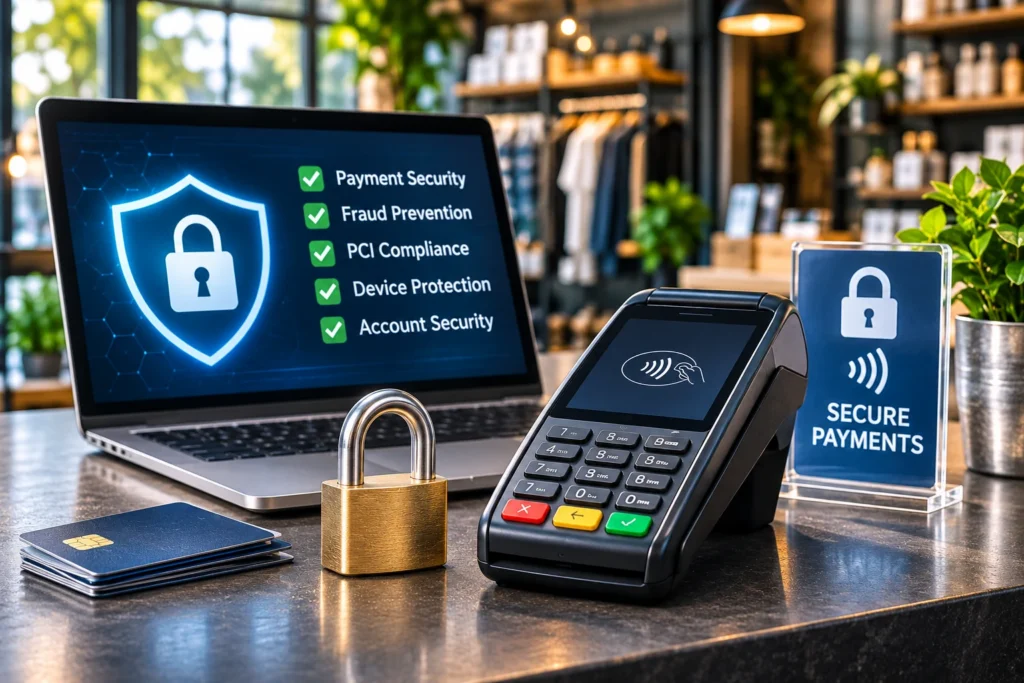

Payment security for small business is about protecting customer card information, keeping payment systems trustworthy, and reducing the risk of fraud before a transaction becomes a problem. Whether customers pay through a countertop terminal, mobile card reader, online checkout, or invoice link, every business needs appropriate safeguards.
Those safeguards involve more than installing a secure payment terminal.
Employees need to know how to recognize suspicious activity. Business owners need to understand who can access payment systems, how customer information is handled, whether their equipment has been tampered with, and whom to contact if something goes wrong.
I’ve worked with small business owners in the payment processing industry since we co-founded Valued Merchant Services in 2006. One thing I’ve learned is that business owners sometimes put too much confidence in the technology itself while overlooking how that technology is managed.
A modern payment terminal can include strong security features, but those protections will not stop an employee from responding to a fraudulent email asking for the merchant’s banking credentials. Likewise, an online checkout can use encrypted connections while still being vulnerable to malicious code or compromised administrator accounts.
In this guide, I’ll explain the main payment security risks small businesses face, ten practical steps to reduce exposure, what PCI compliance really involves, and how to respond when suspicious activity occurs.
Quick Answer: How Can Small Businesses Improve Payment Security?
Use appropriate payment equipment, inspect devices for tampering, limit access to processing systems, use multifactor authentication, keep software updated, avoid unnecessary card-data storage, protect online checkout pages, verify suspicious requests, train employees, and maintain a documented incident-response process. These measures reduce risk, but no system guarantees that payment fraud or a data breach will never occur.
In This Guide
What Is Payment Security for Small Businesses?
Payment security refers to the technology, procedures, and controls used to protect payment information and reduce risks involving payment acceptance, processing, and related systems.
For a small business, that can include:
- Protecting payment terminals against tampering
- Securing merchant accounts and administrative access
- Limiting access to customer payment information
- Using approved payment applications and devices
- Protecting ecommerce checkout pages
- Monitoring for suspicious transactions and account changes
- Training employees to recognize scams and security threats
- Preparing to respond to incidents involving payment data
Payment security involves two related but different goals.
Protecting payment account data means reducing the possibility that sensitive information will be exposed, stolen, improperly retained, or misused.
Reducing payment fraud means applying appropriate procedures and available tools to identify and manage potentially unauthorized or deceptive transactions.
These goals overlap, but a business can experience payment fraud without suffering a data breach. It can also experience a data breach without immediately discovering fraudulent transactions.
That distinction matters when selecting technology, documenting incidents, and responding to problems.
What Are the Biggest Payment Security Risks for Small Businesses?
Different payment environments create different exposures.
| Threat | Example | Key protection |
|---|---|---|
| Terminal tampering | An unauthorized device is attached to a card reader. | Device inventories, inspections, controlled access. |
| Account takeover | Someone obtains a merchant administrator’s credentials. | Multifactor authentication and access controls. |
| Phishing and impersonation | A fake processor representative requests login details. | Independent verification through trusted contacts. |
| Payment-page compromise | Malicious scripts collect customer information during checkout. | Secure integrations and applicable payment-page controls. |
| Unauthorized transactions | A stolen payment credential is used for an online order. | Appropriate fraud screening and verification. |
| Improper data handling | Card numbers or verification codes are saved in unapproved records. | Approved payment tools and data-handling procedures. |
Not every business faces these threats in the same way. A restaurant with several payment terminals has a different risk profile from an ecommerce merchant whose customers enter payment details through a website.
The first step is understanding how payments move through your business.
10 Ways to Improve Payment Security and Prevent Fraud
1. Know How Your Business Accepts and Handles Payments
Before buying security software or replacing payment equipment, identify the systems and people involved in accepting payments.
Start with a simple review:
- Where do customers pay?
- Which payment terminals, apps, and websites are used?
- Which employees can process refunds or change payment settings?
- Who manages the merchant account and associated banking information?
- Which outside companies host, maintain, or support the payment system?
- Where, if anywhere, is customer card information stored?
Consider a repair company that accepts payments through a wireless terminal, emailed invoices, and a virtual terminal.
Each method may use different technology, permissions, and transaction procedures. Treating everything as one generic payment system can make it harder to identify which protections apply.
A documented overview also helps the business communicate with its processor and determine the appropriate PCI compliance validation process.
Practical action: Maintain an up-to-date list of payment systems, providers, devices, and authorized users. Include approved support contacts.
2. Inspect Payment Terminals for Tampering
Physical payment devices can be targeted by criminals attempting to capture card information.
A compromised terminal may have an unfamiliar attachment, unexpected wiring, damaged seals, or modifications that are difficult for employees to notice without a reference.
The PCI Security Standards Council recommends maintaining device inventories and regularly checking payment terminals for signs of tampering.
Its merchant security resources provide guidance on protecting payment equipment and account data.
What Should Employees Check?
- Does the terminal match its documented appearance?
- Are seals, covers, and connections intact?
- Are there unexpected attachments, cables, or accessories?
- Has the terminal been moved or replaced without authorization?
- Have unknown individuals attempted to access or service the equipment?
- Has the device shown unusual behavior or unexplained error messages?
Take reference photographs of authorized equipment, including relevant connections, and maintain an inventory that identifies each device.
Train employees to report concerns rather than attempt repairs or remove suspicious attachments themselves.
If tampering is suspected: Stop using the affected device, follow your incident-response procedure, and promptly contact the authorized processor or terminal provider. Preserve possible evidence and follow their instructions regarding law enforcement or specialist assistance.
For more information about device selection and physical acceptance security, review our credit card terminal solutions.
3. Use Appropriately Configured EMV and Contactless Equipment
Modern payment technology can help reduce certain forms of payment fraud.
Eligible EMV chip transactions use transaction-specific security information that makes some counterfeit-card attacks more difficult than traditional magnetic-stripe processing.
Contactless EMV transactions use related protections through supported tap-enabled cards and digital wallets.
However, EMV technology does not eliminate every type of fraud.
It does not guarantee that a customer will never dispute a purchase, that employee credentials cannot be compromised, or that a merchant’s ecommerce website cannot be attacked.
Equipment must also be appropriate for the selected provider and maintained according to the relevant operating requirements.
Practical action: Confirm that your devices support the necessary payment methods, are approved for the processing environment, and receive appropriate security updates.
4. Secure Administrative Accounts With Multifactor Authentication
Some of the most damaging payment-related incidents begin with compromised account credentials rather than defective payment hardware.
A criminal who gains access to a merchant portal, payment gateway, email account, or administrative dashboard may attempt to view information, change settings, redirect funds, or interfere with normal operations.
Where supported, enable multifactor authentication for:
- Merchant processing portals
- Payment gateway administration
- POS management systems
- Business email accounts
- Banking and accounting systems
- Website administration
Give employees individual accounts with permissions appropriate to their responsibilities.
A cashier may need to accept payments and perform authorized refunds, but usually does not need unrestricted access to merchant banking details or global system administration.
Review employee access when roles change and remove access promptly when it is no longer needed.
The Federal Trade Commission’s Cybersecurity for Small Business resources address phishing, access security, software maintenance, and employee procedures.
Practical action: Enable supported multifactor authentication, restrict privileges, and avoid shared administrator credentials.
5. Keep Payment Software and Networks Secure
Payment applications, business computers, routers, and connected systems should be maintained using approved security procedures.
Outdated software can contain vulnerabilities that attackers attempt to exploit.
A small business should know which company is responsible for maintaining each part of its payment environment.
For example, a POS provider may handle updates to its hosted service while the merchant remains responsible for certain network devices, employee accounts, or local computers.
Useful practices include:
- Applying approved security updates promptly
- Changing default passwords and using strong authentication
- Separating public guest Wi-Fi from sensitive business systems
- Restricting remote access to authorized personnel and approved methods
- Removing unused accounts and applications
- Maintaining appropriate backups for business recovery
- Documenting which vendors can remotely access payment-related systems
Do not assume that every terminal, computer, and wireless network should be configured identically. Follow the applicable vendor and compliance requirements for your environment.
Practical action: Confirm who owns updates and security maintenance for each payment-related system. Avoid leaving responsibility undefined.
6. Do Not Store Sensitive Payment Information Improperly
Reducing the amount of payment data a business handles or retains can reduce exposure.
Merchants should use approved payment applications and secure collection methods rather than storing customer card details in everyday business records.
Examples of practices to avoid include:
- Saving card verification codes in spreadsheets or customer notes
- Taking photographs of payment cards for later processing
- Sending unprotected card details through ordinary email or messaging
- Using general-purpose documents to retain card numbers for future charges
- Allowing employees to copy sensitive information into unapproved systems
One especially important requirement involves the three- or four-digit card verification code, commonly called a CVV, CVC, or CID.
Under PCI DSS, merchants may not store these verification codes after authorization, even if encrypted.
The PCI Security Standards Council explains how these codes may be collected for appropriate authorization purposes and why post-authorization retention is prohibited.
If your business needs recurring payments or card-on-file functionality, use supported tokenization or another approved arrangement rather than retaining prohibited authentication information.
Practical action: Ask your provider how customer payment information is collected, tokenized where applicable, retained, and protected.
7. Protect Ecommerce Checkout Pages From Malicious Scripts
Online payment security involves more than displaying HTTPS in a browser.
HTTPS helps encrypt information exchanged between a visitor and a website, but it does not prove that the website is legitimate or that its checkout code has not been compromised.
The Federal Trade Commission warns that scammers can use encrypted websites too.
Another concern is ecommerce skimming, sometimes called e-skimming or digital skimming.
Attackers may compromise website code or third-party scripts to intercept payment information while customers complete checkout.
PCI DSS v4.0.1 includes requirements addressing payment-page script management and change detection for applicable payment environments.
The PCI Security Standards Council has published additional guidance about payment-page security and e-skimming prevention.
Requirements differ according to the checkout architecture and the merchant’s applicable assessment and eligibility criteria.
For instance, the responsibilities associated with a fully hosted payment page may differ from those of a website that embeds a third-party payment form or directly handles card data.
Questions for Your Website or Payment Provider
- Who maintains the checkout software and payment integration?
- Does the merchant’s website or its third-party code affect payment security?
- Who monitors unauthorized changes to relevant payment pages?
- Which scripts and plugins are necessary for the checkout?
- How are updates tested and deployed?
- What PCI DSS validation requirements apply to this configuration?
The correct answers depend on the actual architecture. Do not assume that using a third-party checkout eliminates every merchant responsibility.
For supported checkout and gateway options, explore VMS ecommerce payment solutions.
8. Use Appropriate Fraud Controls for Remote Transactions
Card-not-present transactions have different risk characteristics from eligible in-person chip and contactless payments.
Depending on the provider and business, appropriate tools may include:
- Address Verification Service (AVS)
- Card verification code checks during authorization
- Transaction monitoring and velocity controls
- Supported EMV 3-D Secure authentication
- Risk-based transaction reviews
- Secure payment links or hosted checkout
- Controls for repeated unsuccessful payment attempts
These tools can help identify certain suspicious transactions, but they cannot guarantee that a payment is legitimate or immune to a future chargeback.
Businesses should also balance fraud screening against customer experience. Overly aggressive settings can block legitimate purchases.
Work with the provider to understand which controls are supported, how they are configured, and who reviews flagged transactions.
For more transaction-specific fraud guidance, see our credit card fraud prevention guide.
9. Independently Verify Suspicious Requests About Accounts or Deposits
Not every payment security threat involves the customer’s credit card.
Criminals also impersonate payment processors, banks, software providers, and business employees.
Imagine receiving an urgent email appearing to come from your processing company.
It says your merchant account will be suspended unless you sign in through a supplied link and confirm your banking information immediately.
The message might include a convincing logo, accurate company information, or references to a real account.
Those details do not establish that the request is legitimate.
The correct response is to verify the request independently, using a trusted website, known contact number, or official application rather than the link or phone number supplied in the unexpected message.
This practice is especially important for requests involving:
- Changes to deposit bank accounts
- Password resets or multifactor authentication codes
- New remote access to business devices
- Merchant portal credentials
- Unexpected refunds or transfers
- Urgent updates to payment processing software
Use appropriate internal approval procedures for sensitive changes, and maintain a record of verified requests.
Practical action: Train staff to stop and independently verify unexpected account-change requests, even when they appear to come from a familiar contact.
10. Train Employees and Maintain an Incident-Response Plan
Security procedures only work when employees understand them and know what to do under pressure.
A business owner should be able to answer several basic questions before an incident occurs.
- Who receives reports of suspicious payment activity?
- Who can take an affected terminal out of service?
- Who contacts the processor or acquiring institution?
- Who manages website, POS, and network access?
- How are potentially affected records and evidence preserved?
- Who determines any contractual or legal notification obligations?
- How does the business continue operating safely while an incident is investigated?
A written plan does not need to be unnecessarily complicated to be useful, but it needs to reflect the business’s actual systems, responsibilities, providers, and applicable requirements.
Train relevant employees on their responsibilities and review the plan periodically.
Security awareness is not only for managers or technical staff. Cashiers, customer-service representatives, bookkeepers, and mobile employees may all encounter warning signs before anyone else notices a problem.
What Is PCI Compliance, and Does It Apply to Small Businesses?
PCI DSS stands for the Payment Card Industry Data Security Standard.
It establishes technical and operational security requirements for protecting payment account data in applicable environments.
As of this article’s November 2026 review, PCI DSS v4.0.1 is the current published standard identified in the PCI Security Standards Council’s document library.
The additional requirements introduced with the version 4 transition that were designated future-dated became effective March 31, 2025.
Do Small Merchants Have to Follow PCI DSS?
PCI DSS is intended for entities involved in payment card processing, including merchants of all sizes.
However, a small business’s specific requirements, assessment scope, and validation obligations depend on its payment environment and the applicable compliance program.
Transaction volume alone does not determine whether protecting payment account data matters.
For example, an eligible business using a fully outsourced hosted checkout may have different obligations from a merchant whose own systems capture card data.
Some eligible merchants use Self-Assessment Questionnaires, commonly called SAQs, as part of compliance validation.
There are different SAQ types with specific eligibility conditions. The correct assessment should not be selected simply because one questionnaire appears shorter.
Confirm your requirements with the organization responsible for managing your compliance program, typically your acquiring institution or relevant payment brand.
Does Using a PCI-Compliant Provider Make Your Business Compliant?
No, not automatically.
Using a qualified third-party provider can reduce the merchant’s exposure to certain payment data and potentially reduce the scope of applicable requirements.
However, outsourcing does not eliminate all merchant responsibilities.
The PCI Security Standards Council explains this distinction in its guidance for merchants outsourcing payment processing.
Merchants may still need to understand their providers’ responsibilities, maintain relevant agreements, monitor service-provider compliance, and complete the applicable validation requirements.
Are PCI Compliance Fees the Same as PCI Compliance?
No.
A merchant agreement may include compliance-related program charges or noncompliance fees, depending on the provider.
Paying a fee does not establish that the merchant has met every applicable security requirement.
Similarly, an account statement without a noncompliance fee is not proof that the business’s entire payment environment is compliant.
Ask the provider what the charges cover, what validation is expected, and which security responsibilities belong to the merchant.
What Should a Merchant Do if Payment Fraud or a Data Breach Is Suspected?
When payment security is in question, a business should respond promptly but avoid actions that could interfere with an investigation or expose more information.
The following is a general framework, not a substitute for the specific incident-response procedures required by an acquiring institution, security provider, payment brand, or applicable law.
Step 1: Stop Using an Affected Payment Method When Necessary
If a terminal appears compromised, remove it from service through the approved procedure.
If an online checkout may have been altered to steal payment data, engage the appropriate technical and payment providers promptly to determine how to contain the exposure.
Do not continue accepting payments through a system reasonably suspected to be compromised simply because it still processes transactions.
Step 2: Contact the Appropriate Providers
Notify the processor, acquiring institution, payment terminal provider, or designated security team as required by the circumstances and applicable agreement.
Use verified contact information.
Explain what was observed, when the concern began, which systems may be affected, and what actions have already been taken.
Step 3: Preserve Relevant Evidence
Document suspicious messages, device conditions, transaction references, system alerts, and related details without unnecessarily copying or spreading sensitive cardholder information.
Coordinate technical containment and evidence preservation with qualified incident-response personnel.
Do not automatically delete logs, reset systems, remove suspicious attachments, or power down equipment without considering the provider’s incident instructions and the need to preserve evidence.
Step 4: Protect Accounts and Limit Further Exposure
With appropriate technical guidance, secure affected credentials, restrict unauthorized access, and take necessary steps to prevent continued compromise.
Where a banking change or fraudulent transfer is suspected, contact the relevant financial institution immediately through a known and verified channel.
Step 5: Determine Notification and Investigation Requirements
A suspected payment-card data compromise may trigger contractual, card-network, investigative, or legal obligations.
The correct process depends on the incident, jurisdiction, and applicable agreements.
Businesses may need assistance from qualified security professionals or legal counsel. Depending on the circumstances and payment-brand requirements, a formal forensic investigation may be required.
The PCI Security Standards Council’s data-breach response guidance discusses incident planning, forensic investigations, evidence preservation, and stakeholder responsibilities.
Step 6: Restore Operations and Address the Cause
Once the incident has been appropriately contained and investigated, follow authorized recovery procedures.
Document what happened, which systems were affected, what actions were taken, and what preventive changes are needed.
Review the incident with relevant staff so the same weakness is less likely to create another problem.
What if a Card Transaction Looks Suspicious?
Follow your processor’s current suspicious-transaction procedures and contact the appropriate authorization or risk-support team when directed. A Code 10 authorization inquiry may be available for certain card-present circumstances. Do not confront a customer, use force, or attempt to seize or retain a card merely because it appears suspicious. Employee safety comes first, and any further action must follow applicable rules and authorized instructions.
Payment Security Priorities by Business Type
Different industries should emphasize the controls most relevant to their payment workflows.
| Business type | Important security priorities |
|---|---|
| Retail | Terminal inspections, employee permissions, legitimate service personnel, and refund controls. |
| Restaurants | Device access, employee credentials, protected networks, and appropriate tip and refund procedures. |
| Ecommerce | Payment-page integrity, website access, secure integrations, fraud screening, and software updates. |
| Contractors and field services | Mobile-device security, verified payment links, employee access, and banking-change verification. |
| Professional services | Secure invoicing, virtual-terminal permissions, protection of customer records, and verified account changes. |
| Subscription businesses | Approved card-on-file tools, access restrictions, secure recurring billing, and accurate cancellation records. |
These examples are starting points, not complete PCI DSS assessments.
A Practical Payment Security Routine for Small Businesses
Security improves when important checks become part of ordinary business operations rather than occasional projects.
The following example routine can help organize responsibilities. It is an operational suggestion, not a statement of mandatory PCI DSS inspection frequencies.
At Opening or Before a Shift
- Check relevant terminals for obvious changes or damage.
- Verify that approved devices and applications are available.
- Confirm employees know where to report suspicious behavior.
During Daily Operations
- Use only approved payment processes.
- Verify unexpected account and support requests.
- Limit employee access to authorized functions.
- Escalate suspicious activity promptly.
Periodically
- Review authorized users and administrative permissions.
- Confirm software and device maintenance responsibilities.
- Review unusual transactions and security alerts.
- Check that provider contacts and incident instructions are current.
- Review the PCI compliance validation process applicable to the business.
The appropriate schedule and controls should reflect actual risk, provider instructions, and compliance requirements.
How Is Payment Fraud Different From a Chargeback?
Payment fraud and chargebacks are related but different concepts.
Payment fraud involves deceptive or unauthorized activity connected to a transaction or payment account.
A chargeback is a formal payment dispute handled through the applicable issuer, network, and acquiring arrangements.
A chargeback can result from unauthorized card use, but it can also result from billing mistakes, missing merchandise, service disagreements, or cancellation issues.
Likewise, discovering suspicious payment activity does not necessarily mean that a chargeback has already occurred.
Businesses should maintain appropriate prevention and response procedures for both.
For dispute-specific recommendations, see our separate guide to preventing credit card chargebacks.
Frequently Asked Questions About Payment Security
What is the best way to protect credit card payments at a small business?
The most effective approach combines appropriate payment technology with strong account access controls, secure data handling, employee training, routine equipment checks, and a documented response plan. No single security feature eliminates every risk.
Does PCI DSS apply to very small businesses?
PCI DSS is intended for merchants involved in card processing regardless of size. Specific obligations and validation requirements depend on the payment environment and applicable payment-brand or acquiring-institution programs.
Is a payment terminal safe if it accepts EMV chip cards?
EMV technology provides important protections against certain counterfeit-card risks, but a terminal can still be misconfigured, physically compromised, or connected to other vulnerable systems. Appropriate maintenance and operating procedures remain necessary.
Does HTTPS mean an ecommerce website is safe?
No. HTTPS protects data in transit through an encrypted connection, but it does not prove that a website is legitimate or that its checkout has not been compromised. Merchants need additional website and payment-page security controls where applicable.
Can employees store customer credit card information for future purchases?
Merchants should use appropriate approved card-on-file or tokenization services rather than informal storage methods. PCI DSS prohibits storing sensitive authentication data such as card verification codes after authorization, even if encrypted.
Can a payment processor handle all of my PCI compliance responsibilities?
Outsourcing payment functions can reduce some merchant obligations, but it does not automatically eliminate all responsibilities. Confirm the applicable requirements and shared responsibilities with the organization managing your compliance program.
What should I do if a customer emails credit card information?
Do not forward or repeat the sensitive information through unsecured messages. Follow the business’s approved secure-handling and remediation procedures, and direct the customer toward an authorized payment method. Consult the responsible security or payment provider regarding any necessary containment or deletion steps.
How can I tell whether someone has tampered with a credit card terminal?
Compare the device with its documented appearance and inspect for unfamiliar attachments, unexpected cables, damaged seals, or unauthorized replacement. If something is suspicious, stop using the device and contact the authorized provider through an established reporting process.
Can credit card fraud be completely prevented?
No. Appropriate security technology, fraud screening, employee procedures, and monitoring can reduce certain risks, but none guarantees that every transaction is legitimate or that a future dispute cannot occur.
Can Valued Merchant Services help businesses evaluate payment security?
Yes. Valued Merchant Services helps eligible merchants evaluate payment equipment, processing arrangements, ecommerce solutions, and related security features. Specific tools, compliance responsibilities, technical support, and eligibility depend on the selected processing relationship.
Final Thoughts: Make Payment Security an Everyday Business Practice
Payment security is not something a business can solve once and forget about.
Technology changes, employee responsibilities evolve, and new threats appear.
For that reason, small businesses should treat secure payment acceptance as an ongoing operational responsibility.
Start by understanding your payment environment. Protect your accounts, inspect your equipment, use appropriate technology, control access to customer information, and make sure employees understand how to report unusual activity.
Maintain a plan for situations that do not go as expected.
At Valued Merchant Services, we’ve helped businesses navigate payment technology and processing decisions since 2006. We believe merchants deserve understandable information, appropriate solutions, and dependable support.
Sometimes improving payment security requires new equipment or software. Other times, the most meaningful improvement comes from better employee procedures, stronger account protection, or a clearer understanding of existing responsibilities.
The goal is not simply to process payments. It’s to operate a payment environment that protects customers, supports the business, and responds appropriately when problems arise.
Questions About Your Payment Equipment or Processing Setup?
Valued Merchant Services can help you review your payment acceptance needs, evaluate available equipment, understand processing arrangements, and identify practical next steps. We’ll also tell you when your current solution is already a good fit.
Talk With Valued Merchant Services
Call 800-531-8575 or email support@valuedmerchants.com. Existing merchants can also request a free processing rate review. Approval, equipment compatibility, security functionality, funding, and available services vary by processing partner and program. A rate review or equipment consultation is not a PCI DSS compliance certification or security audit.
Editorial note: Updated for November 2026. Educational information only. Security requirements, network rules, compliance validation, contractual obligations, and legal responsibilities vary by merchant and may change. Consult the appropriate payment provider and qualified security or legal professionals regarding specific compliance and incident-response matters.
