
Choosing the best POS system for your business means finding the right combination of software, hardware, payment processing, and support. A touchscreen may look impressive in a demonstration, but the real test is whether the system helps your employees serve customers, keeps your records accurate, and works reliably during a busy business day.
I’ve worked with business owners in the merchant services industry since we founded Valued Merchant Services in 2006. During that time, I’ve watched point-of-sale technology change from traditional countertop terminals and cash registers into sophisticated platforms capable of managing sales, inventory, employees, appointments, online orders, and much more.
That progress has created opportunities for small businesses. It has also made choosing a POS system more complicated.
Today, two systems that look nearly identical may have completely different features, payment processing requirements, software subscriptions, hardware compatibility, and support arrangements.
The cheapest system isn’t necessarily the least expensive to operate. The platform with the most features may not be the easiest for your staff to use. And buying a new POS doesn’t automatically mean you’ll save money on processing.
My advice is to start with your business, not the equipment.
This guide explains what to look for, which questions to ask, and how to evaluate your options before making a long-term commitment.
What Is a POS System?
A point-of-sale system is the combination of technology a business uses to record sales, calculate transaction amounts, accept payments, issue receipts, and manage related operations.
Some systems are simple. Others function as broader business management platforms.
There are four parts worth understanding:
- POS software: The application used to ring up sales, manage products or services, track transactions, and access business reports.
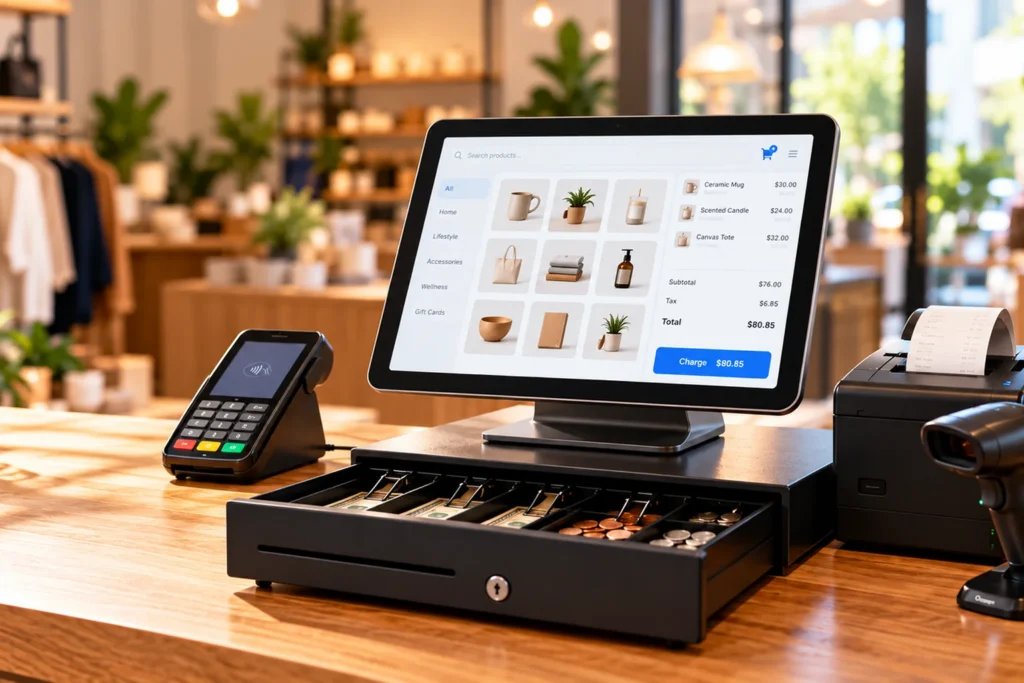
- POS hardware: The physical equipment, such as a tablet, touchscreen terminal, barcode scanner, cash drawer, receipt printer, customer display, or card reader.
- Payment processing: The services and financial relationships that allow the business to accept and settle credit card, debit card, and other supported payments.
- Integrations: The connections between the POS and other systems, such as ecommerce platforms, accounting software, scheduling applications, inventory tools, and loyalty programs.
These components may be sold together or provided by different companies.
For example, a POS software subscription may not include payment processing, additional card readers, specialized inventory tools, or compatible accessories.
Understanding what you’re purchasing is the first step toward choosing the right system.
1. Choose the Best POS System for Your Type of Business
Different industries have different operational priorities. A retail store, restaurant, medical office, and field service company may all accept credit cards, but that doesn’t mean they should use the same POS configuration.
Retail POS Systems
Retail businesses often benefit from systems that can manage large product catalogs, inventory counts, product variations, returns, discounts, and barcode scanning.
For a retail store, consider features such as:
- Barcode scanning for fast checkout
- Product variants, including size, color, or style
- Inventory tracking and low-stock alerts
- Purchase orders and vendor information
- Returns, exchanges, and gift receipts
- Gift cards and customer loyalty options
- Sales reporting by product, employee, or location
If your employees process dozens or hundreds of items during a busy shift, scanner compatibility and checkout speed can matter more than decorative features on the screen.
Restaurant POS Systems
Restaurants typically need features that extend beyond basic checkout.
Depending on the operation, those may include table management, kitchen printers or kitchen display systems, order modifiers, menu management, tipping, split checks, online ordering, and handheld devices for tableside service.
A quick-service restaurant may prioritize fast order entry and kitchen routing, while a full-service restaurant may need detailed table layouts, coursing, and staff permissions.
Ask the provider to demonstrate your actual ordering process, including complicated modifications, split checks, refunds, and end-of-shift reporting.
A system should make your restaurant easier to operate, not create extra steps when things get busy.
Salons, Spas, and Appointment-Based Businesses
Service businesses may place a higher value on scheduling, appointments, staff commissions, customer history, package management, memberships, and recurring billing.
A salon doesn’t necessarily need the same inventory tools as a grocery store.
Likewise, a medical or professional office should examine invoicing, access controls, and integration requirements carefully. A generic retail POS shouldn’t be assumed to meet the privacy or workflow requirements of a specialized practice.
Contractors and Field Service Businesses
For mobile and field-based operations, a conventional cash register may be unnecessary.
These businesses may need estimates, invoicing, job management, mobile card acceptance, customer records, and payment collection at the job site.
Systems designed around field service workflows may be more suitable than traditional retail POS platforms.
The best choice depends on whether the business primarily sells products, schedules services, manages projects, or combines several of those activities.
Businesses With Multiple Locations
Multi-location businesses should evaluate centralized product catalogs, employee permissions, inventory transfers, reporting, and location-level access.
Ask whether you can manage multiple stores under one account and whether adding another location changes the software subscription or payment processing arrangement.
2. Compare the POS Features You Will Actually Use
Feature lists can be misleading.
A provider may advertise dozens of capabilities, but some are limited to higher subscription tiers, depend on third-party apps, or require specific hardware.
Instead of asking whether the POS has a feature, ask the provider to demonstrate how it works.
Checkout Speed and Ease of Use
Employees should be able to complete common transactions without navigating through unnecessary screens.
Test how quickly a new employee can ring up a sale, apply a discount, accept payment, print a receipt, and process a refund.
A confusing interface creates training costs and increases the potential for mistakes.
Inventory Management
Inventory capabilities vary widely.
Some POS systems offer basic stock counts. Others support product variants, purchase orders, vendor records, reorder alerts, multi-location transfers, and detailed inventory reporting.
Don’t assume those capabilities are included with a basic plan.
Employee Management
Businesses may need individual logins, role-based permissions, time tracking, tip reporting, staff sales reports, or access restrictions for refunds and discounts.
Ask whether these tools are included and how permission changes are managed.
Reporting and Analytics
At minimum, you should be able to understand what was sold, how payments were collected, which refunds occurred, and what amounts should reconcile with your deposits.
More advanced reporting may help with inventory, customer trends, staff performance, and business planning.
For a discussion of how these tools can affect profitability, see our article on using payment technology to protect small-business profit margins.
Customer Management and Loyalty
Depending on the system, customer profiles, purchase history, gift cards, loyalty programs, or marketing integrations may be available.
Consider the customer’s privacy and your business’s responsibilities before collecting information that isn’t necessary.
Not every business needs an elaborate customer relationship management platform connected to checkout.
3. Choose the Right POS Hardware
Hardware should match your checkout environment, transaction volume, available counter space, and employee workflow.
For many small retailers, a modern tablet POS with a cash drawer, barcode scanner, and receipt printer can provide a practical starting point.
However, accessories must be compatible with the specific POS platform.
Tablet or iPad-Style POS Systems
Tablet-based systems are popular because they can offer a compact, modern checkout experience without the size of a traditional cash register.
Some use iPads, while others use Android-based tablets or proprietary touchscreen hardware.
Compare screen size, device durability, mounting options, replacement cost, software compatibility, and warranty terms.
Don’t assume an ordinary personal tablet can run every POS application or work with every payment device.
Some platforms require approved hardware, specific operating system versions, or dedicated payment accessories.
Cash Drawers
If your business accepts cash, the POS may need to open a compatible cash drawer automatically during certain transactions.
Cash drawers can connect through different methods, including supported receipt printers or dedicated interfaces.
Ask whether the drawer is included, how it connects, and whether the POS supports cash-count reconciliation and employee accountability.
Barcode Scanners
Barcode scanners can be essential for retail businesses with substantial product inventories.
However, scanner support varies by device and POS software.
Confirm whether the system supports your required barcode formats and whether the scanner connects through USB, Bluetooth, or another approved method.
Also ask whether the POS supports the product label printing, inventory imports, or specialized scanning workflows your business needs.
Receipt Printers
Some merchants need countertop receipt printers. Others rely primarily on digital receipts, kitchen printers, or portable printing devices.
Check compatibility, connection type, printing speed, paper requirements, and replacement costs.
A receipt printer may also serve as the connection point for a cash drawer in certain configurations.
Payment Terminals and Card Readers
The card acceptance equipment must work with the POS software and the merchant’s processing arrangement.
Ask whether it supports the payment methods your customers expect, including EMV chip cards, contactless cards, and supported digital wallets.
Also confirm whether the card reader is fully integrated with the POS or requires employees to enter payment amounts separately.
Integrated payments can reduce duplicate data entry, but the benefits depend on the system’s actual capabilities.
Customer Displays and Self-Service Equipment
Customer-facing displays may support transaction review, tipping, signatures, or other interactions.
Self-service kiosks can be useful in certain retail and restaurant settings, but they add hardware, accessibility, security, maintenance, and operational considerations.
Don’t buy a kiosk simply because it looks modern. Decide whether the workflow and expected usage justify the investment.
4. Understand the Difference Between POS Software and Payment Processing
This distinction can have a major effect on costs and future flexibility.
Some POS systems are designed around a specific payment processing relationship. Others support multiple processors or approved integrations.
The hardware, software, payment gateway, and merchant account may have different contractual terms.
Before selecting a system, ask:
- Can I choose my payment processor, or is one required?
- What processing rates and transaction fees will apply?
- Does the platform support my existing merchant account?
- Can I continue using the hardware if I later change providers?
- What happens to recurring billing and stored payment tokens if I migrate?
- Are refunds, chargebacks, and settlement reports accessible from the POS?
- Will online and in-person transactions be managed together?
Some systems are genuinely convenient because the software and processing are closely integrated.
But integration should not prevent a business owner from understanding the complete pricing and agreement.
Our guide to choosing the right credit card processing solution explains how to compare processing arrangements alongside technology needs.
5. Evaluate POS Security and PCI Compliance
Payment security deserves careful attention when selecting a point-of-sale system.
Merchants should understand how sensitive payment information moves through their devices, software, networks, and service providers.
Depending on the arrangement, important safeguards may include EMV chip acceptance, encryption, tokenization, secure authentication, device management, software updates, and appropriate access controls.
The PCI Security Standards Council’s merchant resources explain how payment security requirements apply to merchants, including small businesses.
Ask About Validated Payment Security
Not all encryption implementations are equivalent.
For example, PCI-listed point-to-point encryption solutions have undergone a specific validation process. A terminal merely advertising encryption does not establish that the merchant is using a validated P2PE solution.
Businesses can consult the PCI SSC listing of validated point-to-point encryption solutions and ask their provider about the exact configuration.
Likewise, a provider’s security claims do not automatically satisfy every PCI DSS responsibility for the merchant’s entire environment.
Protect Customer and Employee Information
Check whether the POS supports strong passwords, multifactor authentication where applicable, individual user accounts, access restrictions, and timely software updates.
Avoid collecting or storing customer information you don’t need.
The Federal Trade Commission’s Start with Security guidance explains why access controls, responsible data retention, and secure service-provider practices matter to businesses.
If the POS uses cloud-based tools, ask how access is controlled and what happens when a device is lost, stolen, or replaced.
6. Compare the Total Cost of Ownership
A system advertised as free or inexpensive can still become costly when subscriptions, accessories, processing fees, and contract commitments are considered.
I recommend comparing at least three years of costs, particularly if the business expects to keep the system for an extended period.
Costs may include:
- Initial hardware purchases or equipment financing
- Software subscriptions and additional user licenses
- Payment processing rates and per-transaction charges
- Additional locations, devices, or feature packages
- Inventory, ecommerce, loyalty, or accounting integrations
- Installation, data migration, staff training, and setup
- Support plans, repairs, warranties, and replacement equipment
- Contract cancellation or equipment return obligations
A Hypothetical POS Cost Comparison
Consider two illustrative proposals for a small retail business.
| Three-year cost | System A | System B |
|---|---|---|
| Initial hardware cost | $1,200 | $0 |
| Monthly software subscription | $119 | $169 |
| Software cost over 36 months | $4,284 | $6,084 |
| Hardware + software total | $5,484 | $6,084 |
In this hypothetical comparison, System B requires no initial hardware purchase, but its higher monthly subscription results in a greater three-year hardware and software expense.
These numbers are illustrative only. They aren’t quotes for any particular POS provider or VMS product. They exclude processing fees, taxes, additional integrations, repairs, and other possible charges.
The example illustrates why a no-cost hardware offer should be evaluated alongside the full software and processing agreement.
Depending on the business’s transaction volume, payment processing costs could outweigh the difference in software subscriptions.
Before signing, request a written comparison showing all required costs and terms.
7. Test Reliability, Internet Outages, and Daily Operations
A POS system is most important when your business is busy.
That’s when slow software, unreliable connections, frozen terminals, and confusing workflows become expensive problems.
Internet and Offline Capabilities
Ask what happens if your internet connection becomes unavailable.
Some POS systems provide limited offline operation, but the supported functions vary. A system may allow certain sales to be recorded while limiting card authorization, inventory synchronization, or other features.
Any offline card acceptance function should be reviewed carefully because transactions may not be approved until connectivity is restored, creating the possibility of later declines or additional financial exposure.
Don’t assume that offline mode means payments are guaranteed.
Backup and Recovery
Determine whether the provider offers backup connectivity options, replacement equipment procedures, cloud-based data recovery, and accessible support.
Also ask how you would continue operating if a tablet were damaged, a printer failed, or an employee accidentally changed an important setting.
Reliable technology isn’t just about features. It’s about maintaining business continuity when something goes wrong.
8. Make Sure the POS Can Grow With Your Business
Even if you operate one small location today, think about what could change over the next several years.
You may add another location, expand ecommerce, introduce delivery, increase your inventory, or need more advanced reporting.
Ask how the software handles those changes and what additional costs apply.
Also consider data portability.
Can you export your product catalog, inventory records, customer data, and sales reports in a usable format? What happens to your data if you cancel the software subscription?
Understanding how to leave a platform is almost as important as understanding how to get started.
A system that fits your needs today while offering reasonable future flexibility is generally a more practical investment than one that requires immediate replacement as your business changes.
9. Compare POS Providers Based on Fit, Not Brand Recognition
Several recognizable POS platforms serve different areas of the market, including Clover, Square, SkyTab, Genius, FieldPulse, and other industry-specific solutions.
These names aren’t interchangeable.
For example, a system designed primarily for restaurant operations may offer workflows that aren’t necessary for a specialty retailer. A field service platform may focus on estimates, jobs, and invoicing instead of countertop inventory scanning.
Even within a particular brand, the available functionality can depend on the model, software plan, approved integrations, and processing arrangement.
At Valued Merchant Services, we can help businesses evaluate suitable options across multiple POS and payment technology relationships. Availability and eligibility vary by business type, provider, and configuration.
Rather than declaring one company the best POS provider for every merchant, I recommend narrowing your choices based on the business’s actual requirements.
The strongest candidate should be able to demonstrate the workflows you use daily, provide a complete written cost breakdown, and explain who supports the system after installation.
10. Ask These Questions During a POS Demonstration
A demonstration is one of the best opportunities to discover whether a POS system is the right fit.
Don’t let the entire meeting become a presentation of attractive reports and optional features.
Ask the provider to perform tasks that mirror your real business.
- Ring up a normal sale. Include multiple items, applicable taxes, discounts, and your usual payment methods.
- Scan an item. Confirm that the barcode scanner recognizes it and retrieves the correct product and price.
- Open and reconcile the cash drawer. Demonstrate cash handling and end-of-shift accountability.
- Print or deliver a receipt. Test the receipt printer and any supported digital receipt options.
- Process a refund. Confirm employee permissions and whether the transaction is easy to locate.
- Check inventory. Show a stock adjustment, product variation, or low-stock alert if applicable.
- Generate a daily report. Compare sales totals, payment methods, refunds, and settlement information.
- Demonstrate a failed connection. Explain exactly what the system can and cannot do during an internet outage.
- Show the integrations. Confirm that your accounting, ecommerce, scheduling, or other required software actually connects.
- Review the complete pricing agreement. Include software, hardware, payment processing, contracts, cancellation terms, and support.
If the provider can’t demonstrate a feature that’s essential to your business, don’t assume it will work after installation.
Ask for written confirmation or an opportunity to test it before committing.
11. Plan the Transition Before Replacing an Existing POS
If you’re moving from one system to another, the transition deserves its own plan.
Some businesses have years of product, customer, inventory, or sales history stored in their existing software.
Before making a change, identify what information can be exported, what can be imported, and what may have to be recreated manually.
Consider whether the new system requires different barcode labels, receipt printers, payment terminals, or staff procedures.
Also plan how to handle open invoices, pending transactions, gift card balances, recurring payments, and any existing customer obligations.
When practical, test the new system before your busiest operating period and ensure employees know how to reach support.
The ideal transition is one that creates as little disruption as possible.
How Valued Merchant Services Helps Businesses Choose POS Systems
Our approach starts with a conversation about how the business operates.
We want to understand the products or services you sell, how customers pay, which tools your employees use, and what you’re trying to improve.
We also review the existing processing arrangement when appropriate, because software and transaction costs should be considered together.
From there, we can help identify potential POS and merchant services options, discuss compatibility, and explain the relevant costs and operational requirements.
For merchants already using a POS system they like, switching everything may be unnecessary.
Sometimes the best option is to retain existing equipment, adjust an integration, or evaluate the payment costs without disrupting the rest of the business.
Our free processing rate review can help establish whether the current payment arrangement deserves attention before any broader change is considered.
We believe business owners deserve straightforward explanations and real people they can reach for support.
If a system is already a good fit, we’ll tell you. If there is a better option worth considering, we’ll explain why.
That’s the people-before-profits approach we’ve worked to build since 2006.
Frequently Asked Questions About POS Systems
What is the best POS system for a small business?
The best POS system depends on the business type, sales volume, required features, hardware, payment processing arrangement, and total operating cost. A retailer may prioritize barcode scanning and inventory, while a restaurant needs different order-management features.
Can I use an iPad or tablet as a POS system?
Yes, many POS platforms support tablets or tablet-style devices. However, compatibility depends on the software and approved hardware. Some systems require specific operating systems, mounting accessories, card readers, or dedicated devices.
Does a POS system include a cash drawer and barcode scanner?
Not necessarily. Some packages include multiple accessories, while others require them to be purchased separately. Verify what is included and ensure each accessory is compatible with the specific system.
Can I keep my current credit card processor when switching POS systems?
Sometimes. Some POS platforms support approved third-party processing arrangements, while others require particular payment relationships. Confirm compatibility and processing requirements before purchasing hardware or subscribing to software.
How much does a POS system cost?
The total depends on hardware, subscriptions, payment processing, add-on features, integrations, support, and other agreement terms. A low upfront price does not necessarily mean a low total cost. Compare the full expense over several years.
Do POS systems work without internet access?
Some systems offer limited offline capabilities, but the exact features differ. Card payments may carry additional risk if authorization is delayed until connectivity returns. Ask the provider to explain the supported offline procedures and limitations.
Is a cloud POS better than a traditional POS?
Neither is automatically better. Cloud-connected systems may provide useful access to reporting and remote management, while particular on-premises arrangements may suit other operational needs. Security, connectivity, reliability, features, and support should determine the choice.
How do I know if my POS is PCI compliant?
PCI DSS responsibilities apply to the merchant’s payment environment, not just the POS brand. Ask your payment provider about the specific devices, software, validation status, security controls, and your own compliance obligations. PCI SSC resources can help clarify the relevant requirements.
Should I replace my POS system to save money on processing fees?
Not automatically. First determine whether the existing hardware and software meet your needs and whether processing costs can be improved without replacing them. A rate review and compatibility assessment can help identify the available options.
Final Thoughts: The Best POS System Is the One That Fits Your Business
Choosing a POS system is an important operational and financial decision.
The right setup should make transactions easier, help employees work efficiently, support the payment methods customers expect, and provide useful information for managing the business.
It should also be reliable, secure, reasonably priced, and supported by people who understand what happens when your business can’t afford unnecessary downtime.
Over the years, I’ve seen plenty of payment technology that looked impressive in a demonstration but wasn’t the right fit for the merchant using it.
I’ve also seen straightforward, well-designed systems make a meaningful difference in how smoothly a business operates.
That’s why I recommend starting with what your business actually needs, reviewing the complete costs, and testing the equipment and software before committing.
The best POS system isn’t necessarily the newest, the most expensive, or the one with the longest list of features. It’s the one that works for your business.
Need Help Choosing the Right POS System?
Valued Merchant Services can help you compare tablet POS systems, payment terminals, cash drawers, barcode scanners, software, integrations, and processing arrangements based on your business’s needs. We’ll help you understand the options without pressuring you to replace something that’s already working.
Talk With VMS About Your POS Needs
You can also call 800-531-8575. POS availability, pricing, integrations, hardware options, and processing terms depend on the selected provider, configuration, and eligibility. No obligation to switch.
