
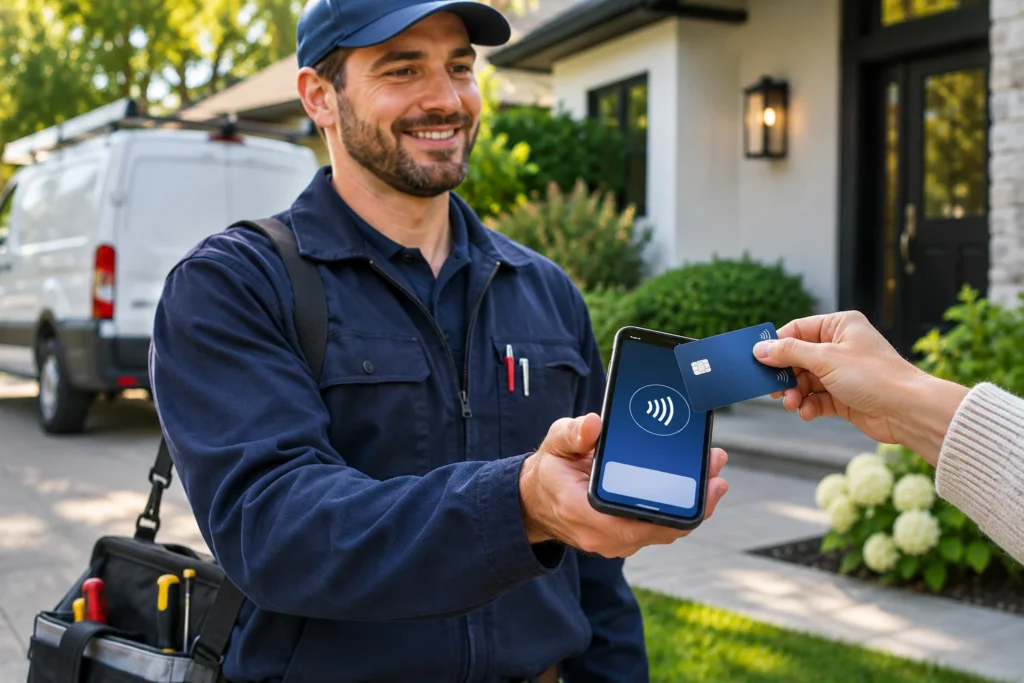

Mobile payment solutions for small business owners make it possible to accept electronic payments away from a traditional checkout counter. Whether you operate a contracting company, mobile service business, food truck, market booth, or delivery operation, the right technology can help customers pay using a smartphone, portable card reader, wireless terminal, or secure online payment link.
However, not every mobile payment solution works the same way. Some let customers tap a card directly on a compatible smartphone. Others use a separate card reader, while wireless terminals can operate independently of an employee’s phone. Payment links serve a different purpose by allowing customers to pay remotely.
Each approach involves different capabilities, costs, security considerations, and operational limitations.
Since co-founding Valued Merchant Services in 2006, I’ve worked with businesses that collect payments in very different environments. A contractor sending a final invoice doesn’t have the same requirements as a festival vendor completing hundreds of small purchases. Likewise, a restaurant accepting payments at outdoor tables may need capabilities a mobile repair technician never uses.
This guide compares five mobile payment solutions for small business operations, explains their advantages and limitations, and helps you evaluate which arrangement fits your customers, employees, and existing technology.
Mobile Payment Solutions for Small Business: Quick Comparison
There are five main approaches worth considering. The right starting point depends on whether customers pay in person or remotely, how frequently employees move, and which business functions must connect to payments.
| Payment solution | Best starting point | Main limitation to investigate |
|---|---|---|
| Tap to Pay on Phone | Simple contactless sales using a supported smartphone | Contactless-only acceptance and app/device compatibility |
| Connected mobile reader | Dedicated chip and contactless acceptance paired with a phone or tablet | Reader, application, and processor restrictions |
| Wireless terminal | Field employees needing independent payment equipment | Hardware costs, connectivity, and device management |
| Mobile POS | Businesses combining payments with ordering, inventory, or reporting | Subscriptions, integrations, and platform commitments |
| Payment links and invoices | Contractors and service businesses collecting remote payments | Card-not-present risk, fees, and customer verification |
Quick recommendation: Start with Tap to Pay on Phone for straightforward, eligible contactless transactions. Consider a connected reader or wireless terminal when customers need to insert chip cards or employees require dedicated hardware. Choose mobile POS when the business also needs integrated operational tools. Use approved payment links and invoicing when customers pay remotely.
These are starting points, not universal product recommendations. A specific provider may combine several approaches in one system.
What Are Mobile Payment Solutions?
Mobile payment solutions allow businesses to accept or collect electronic payments without relying exclusively on a fixed checkout station.
Depending on the product, they may use a smartphone, portable card reader, wireless device, mobile POS, or hosted online checkout.
It’s important to distinguish two transaction types.
In-Person Mobile Payments
In-person mobile acceptance involves a customer presenting an eligible payment credential to a supported device, often through contactless technology or an EMV chip reader.
Examples include a customer tapping a contactless card on a merchant’s phone or inserting a chip card into a portable terminal.
Remote Mobile Payments
Remote payments occur when a customer completes a payment separately from the merchant’s physical device, such as through a secure invoice or hosted payment link.
These are generally card-not-present transactions, with different fraud considerations and potentially different processing costs.
Also, a customer’s use of Apple Pay or Google Wallet is not itself a complete merchant acceptance solution. The business still needs compatible payment equipment, software, and an approved processing arrangement.
5 Mobile Payment Solutions for Small Business Owners
1. Tap to Pay on Phone: Accept Contactless Cards on a Smartphone
Tap to Pay on Phone allows eligible merchants to accept supported contactless payments directly on compatible smartphones without connecting a separate card reader.
With an approved application and processing arrangement, the merchant enters the amount, presents the phone to the customer, and follows the application’s payment instructions.
A mobile technician, for example, might use an approved payment app after completing a repair. The customer can tap an eligible contactless card or digital wallet on the designated area of the merchant’s phone.
Tap to Pay on iPhone
Apple’s Tap to Pay on iPhone supports eligible in-person contactless payments through participating payment applications.
According to Apple’s merchant guidance, compatible iPhones can accept supported physical contactless cards and digital wallets without an additional terminal.
However, simply owning an iPhone does not enable every payment application or merchant account to use the feature.
Device model, operating system, merchant location, supported app, processor, and eligible payment methods all matter.
Merchants should confirm the exact requirements with their payment provider.
Tap to Pay on Android
Supported Android devices can also accept eligible contactless payments through participating merchant applications.
The requirements vary by provider and may involve NFC capability, operating-system compatibility, security configuration, and payment application approval.
Therefore, not every NFC-enabled Android phone is automatically suitable for accepting card payments.
Advantages of Tap to Pay on Phone
- No separate card reader for supported contactless transactions
- Convenient for mobile service providers and occasional sellers
- Less dedicated equipment to transport and charge
- Potential integration with supported merchant applications
- Useful backup or supplemental acceptance option when supported
Limitations to Consider
- Requires supported phone hardware, software, and provider integration
- Does not automatically provide a physical chip-card insertion slot
- Not all cards or customer verification methods work identically
- Connectivity, battery condition, and app availability affect operations
- Processing prices and eligibility depend on the provider
Best starting point: Contractors, occasional event sellers, mobile technicians, and small businesses that primarily need straightforward contactless acceptance.
2. Mobile Credit Card Readers Connected to a Phone or Tablet
A connected mobile reader is a separate payment device that communicates with a compatible smartphone, tablet, or payment application.
Depending on the model, the device may support inserted EMV chip cards, contactless payments, and additional cardholder verification options.
Modern products often use Bluetooth or another supported connection rather than the headphone-jack readers associated with earlier mobile payment systems.
When a Separate Reader Makes Sense
A dedicated reader can be helpful when customers regularly present physical chip cards or when the business needs features that a phone-only contactless arrangement doesn’t provide.
It can also create a more consistent payment workflow for employees already using a supported mobile POS application.
Potential capabilities include:
- Supported EMV chip acceptance
- Contactless credit and debit payments
- Compatible digital wallets
- Relevant customer verification methods
- Application-based receipts and reporting
- Inventory or invoicing integration when supported
However, connected readers are often platform-specific.
For example, a device purchased for one payment application may not work with a completely different processor or merchant account.
Best starting point: Mobile merchants needing a dedicated chip and contactless reader, especially when the business already uses a compatible phone or tablet application.
3. Wireless Credit Card Terminals
A wireless credit card terminal is a self-contained device that accepts eligible payments away from a permanently installed checkout counter.
Depending on the model and configuration, it may operate through Wi-Fi, cellular service, or another approved connection.
Wireless terminals may include:
- EMV chip and NFC contactless acceptance
- A touchscreen or physical keypad
- Rechargeable batteries
- Receipt printing or digital receipts
- Cellular connectivity
- Supported refunds, reporting, and settlement features
Why Businesses Choose Dedicated Wireless Hardware
Consider a landscaping company with several crews collecting payments after completing jobs.
Assigning company-owned wireless terminals may simplify device tracking, training, and payment collection without requiring employees to use personal smartphones.
A restaurant might also use wireless terminals for patio or tableside payments, provided the devices work with its service workflow.
However, standalone terminals can introduce equipment costs, software requirements, data-plan fees, and maintenance responsibilities.
Before purchasing, confirm device compatibility, supported payment methods, battery performance, and network coverage in the areas where employees work.
Explore available VMS credit card terminals for additional equipment information.
Best starting point: Field-service companies, mobile crews, delivery operations, and merchants that prefer dedicated payment hardware.
4. Mobile Point-of-Sale Systems
Mobile POS systems combine payment acceptance with business-management features.
Depending on the platform, a mobile POS may support product catalogs, inventory, ordering, employee permissions, taxes, tipping, customer records, and reporting.
Some use tablets connected to payment readers. Others use integrated handheld devices or approved smartphone applications.
When a Mobile POS Provides More Value Than a Reader
Imagine a retailer that operates a permanent storefront and also sells at seasonal events.
A compatible mobile POS might allow the business to share product information, track event sales, and coordinate inventory across both channels.
A restaurant with outdoor tables may value order entry, tipping, and kitchen communication as much as the ability to accept cards.
However, these benefits depend on what the actual product supports.
Businesses should also consider software subscriptions, payment-provider restrictions, data portability, implementation, and long-term costs.
Best starting point: Restaurants, retailers, food trucks, and market vendors that need payment acceptance integrated with operational software.
Our POS system selection guide explains those tradeoffs in more detail.
5. Secure Payment Links and Mobile Invoicing
Not every business collects payments while standing next to a customer.
Contractors may send final invoices after completing work. Professional service providers may request deposits, and a mobile detailing business might collect payment after leaving the customer’s property.
Secure payment links and hosted invoicing can support these remote transactions without requiring the customer to use a merchant’s physical payment reader.
How Payment Links Work
Depending on the approved solution, a merchant can create an invoice or payment request and send a secure link through a supported communication process.
The customer opens the hosted checkout on their own device, reviews the payment information, and completes an eligible transaction.
The system may then record payment status, produce a receipt, and support other configured billing features.
Available functions may include:
- One-time invoices
- Hosted payment pages
- Supported payment reminders
- Digital receipts
- Recurring or scheduled billing when approved
- Transaction status and reporting
Important Security and Pricing Differences
Payment-link transactions are generally treated as card-not-present transactions rather than in-person EMV payments.
As a result, pricing, customer verification, fraud exposure, and dispute handling may differ.
Businesses should also protect customers from fraudulent payment-link impersonation and ensure links originate from trusted systems.
Never request or collect complete card details through ordinary email, text messages, or unapproved forms.
Best starting point: Contractors, repair companies, professional services, appointment-based businesses, and merchants collecting remote payments.
Review our ecommerce and online payment options for related capabilities.
Which Mobile Payment Solution Fits Your Business?
The fastest way to narrow mobile payment solutions for small business use is to begin with the actual sales workflow.
Choose Based on How Customers Pay
- Customers tap cards in person: Investigate Tap to Pay on Phone and supported contactless readers.
- Customers need chip-card insertion: Consider a connected reader or compatible wireless terminal.
- Employees need independent company equipment: Evaluate wireless terminals and device-management requirements.
- Payments must connect to orders or inventory: Consider an integrated mobile POS.
- Customers pay after service or remotely: Explore approved invoices and payment links.
Then Compare Operational Requirements
Before choosing a product, determine whether the business needs printed receipts, customer PIN entry, tipping, itemized orders, multiple employee accounts, cellular connectivity, or integration with existing software.
Also, distinguish occasional mobile acceptance from high-volume daily operations.
For example, a sole proprietor collecting a handful of contactless payments may not need a full POS platform.
Meanwhile, a high-volume event vendor may place more value on transaction speed, backup connectivity, and battery performance.
Practical recommendation: Shortlist two compatible solutions that handle your required payment methods, then compare their complete costs and operating limitations.
How to Start Accepting Mobile Payments in 7 Steps
Once you know which approach fits your business, follow a consistent setup process.
Step 1: Identify Your Payment Locations
List where customers pay: job sites, events, deliveries, outdoor tables, customer homes, online invoices, or a combination.
Determine whether customers will be physically present when payment occurs.
Step 2: Identify Required Payment Methods
Decide whether you need contactless cards, EMV chip insertion, eligible debit options, digital wallets, or remote online checkout.
Not every mobile product supports every method.
Step 3: Select a Compatible Processing Provider
Compare eligibility, actual processing rates, transaction fees, recurring charges, funding schedules, and support.
Ask whether the payment arrangement uses a traditional merchant account or an eligible payment-facilitator arrangement.
Step 4: Verify Equipment and Connectivity
Confirm compatibility among the payment device, application, operating system, card reader, POS software, and processor.
Test Wi-Fi or cellular service at the places where the system will operate.
Step 5: Configure Security and Access
Use authorized payment applications, supported software, appropriate device controls, and employee permissions.
Confirm which PCI DSS responsibilities apply to the specific arrangement.
Step 6: Test Payments and Receipts
Use the provider’s approved test procedures to verify transaction amounts, customer instructions, receipts, reporting, and refunds.
Don’t assume a transaction succeeded merely because a phone or terminal displayed a notification.
Step 7: Train Employees and Reconcile Deposits
Train staff to recognize approvals, declines, pending transactions, refunds, and connectivity problems.
Then compare processing reports, fees, and deposits after activation.
For broader merchant setup guidance, see our guide to accepting credit card payments.
How Much Do Mobile Payment Solutions for Small Business Cost?
Mobile payment expenses depend on more than the price of the reader or application.
Potential costs include:
- Percentage-based processing fees
- Per-transaction charges
- Reader or terminal hardware
- Recurring software subscriptions
- Gateway or invoicing charges
- Cellular service and connectivity
- Other applicable account or service fees
Some providers use flat-rate pricing. Others offer interchange-plus or additional negotiated structures.
For that reason, a phone-based acceptance method with no separate reader isn’t automatically cheaper than a dedicated terminal.
Example: Comparing Two Mobile Payment Pricing Plans
Suppose a hypothetical merchant accepts 120 card payments each month, averaging $100 per transaction.
Its monthly volume is:
120 transactions × $100 = $12,000.
Now compare two fictional arrangements:
| Monthly cost | Option A | Option B |
|---|---|---|
| Hypothetical transaction pricing | 2.70% + $0.10 | 2.50% + $0.20 |
| Percentage charges | $324 | $300 |
| Transaction charges | $12 | $24 |
| Monthly software fee | $0 | $25 |
| Total monthly cost | $336 | $349 |
Option B has the lower percentage rate. However, its higher per-transaction charge and monthly subscription make it $13 more expensive under these assumptions.
$349 − $336 = $13 per month.
If volume and fees stayed the same for twelve months, the difference would be $156.
These figures are hypothetical and are not current VMS quotes, typical market rates, or guaranteed merchant costs.
The example also assumes there are no additional hardware, connectivity, or service charges beyond those shown.
Merchant takeaway: Use the same monthly volume, transaction count, card mix, and required services when evaluating proposals. Compare any equipment purchase separately or allocate it consistently for budgeting.
Existing merchants can use our seven-step processing statement guide to examine their current expenses.
Can Mobile Payment Solutions Work Without Internet Access?
Connectivity is particularly important for outdoor events, rural job sites, festivals, and areas with unreliable wireless service.
Many payment systems need an active connection to request transaction authorization.
Some platforms support eligible offline or store-and-forward functionality that retains certain transaction information for later submission.
However, offline acceptance is not equivalent to ordinary live issuer authorization.
What Happens to an Offline Transaction?
Depending on the system, the device may store an eligible transaction and submit it after connectivity returns.
The transaction may then fail, be declined, or fall outside the provider’s permitted processing conditions.
Therefore, a merchant may face financial exposure if a customer leaves with goods or services before the payment receives the necessary approval.
Some payment providers also place strict limits on offline transaction amounts, eligible cards, and submission periods. Others offer no offline functionality.
Questions Before Depending on Offline Mode
- Does the exact device and app support it?
- Which payment methods and transaction amounts qualify?
- How long may transactions remain pending?
- Who bears the loss if the payment is later declined?
- What happens if the device is lost before synchronization?
- How do employees distinguish pending activity from approved payments?
- What happens if the device cannot reconnect within the required period?
Recommendation: Test the actual work location and understand the provider’s offline terms before relying on the capability.
If payment collection is critical, investigate supported cellular coverage or approved backup communications rather than assuming an offline mode will prevent lost transactions.
Are Mobile Payment Solutions Secure?
Mobile payment solutions for small business can provide strong security when businesses use compatible, approved applications, supported devices, and appropriate operating procedures.
However, no payment solution removes every fraud or compliance obligation.
EMV and Contactless Transaction Security
Eligible EMV contactless transactions use transaction-specific cryptographic information to help reduce certain counterfeit-card risks.
According to EMVCo, contactless technology supports payments using compatible cards and devices.
Nevertheless, EMV does not prevent every type of fraud, device compromise, or customer dispute.
PCI Mobile Payments on COTS (MPoC)
Commercial off-the-shelf, or COTS, devices include commonly available smartphones and tablets used with appropriate payment applications.
The PCI Security Standards Council’s Mobile Payments on COTS standard addresses certain payment acceptance solutions built around these devices.
MPoC provides a security framework for supported mobile payment solutions, including configurations involving contactless data and applicable cardholder verification methods.
See the PCI SSC MPoC standards and listing resources.
What Changed in October 2026?
The PCI Security Standards Council’s sunset periods for new submissions under the older CPoC and SPoC programs ended on October 31, 2026.
New mobile payment solution development is now directed toward the MPoC framework.
However, that sunset does not automatically mean every previously listed solution became invalid on that date. Existing listed products follow their applicable listing and acceptance conditions.
Merchants should ask their processor or application provider which validated solution applies, whether it remains supported, and which PCI DSS obligations the merchant retains.
Practical Mobile Payment Security Checklist
- Install payment applications only from verified, approved sources.
- Keep supported devices and software updated through authorized procedures.
- Protect devices with appropriate authentication and access restrictions.
- Limit employee permissions to necessary functions.
- Do not store card details in photographs, notes, spreadsheets, or ordinary messages.
- Confirm unexpected requests to change deposit accounts or payment settings.
- Follow approved refund and dispute procedures.
- Report suspected device loss, tampering, or unauthorized account access promptly.
For more about physical security, read our article Are Credit Card Readers Safe? Seven Merchant Checks.
Best Mobile Payment Options by Business Type
Different industries may benefit from different mobile payment arrangements.
Contractors and Field-Service Businesses
Electricians, plumbers, mobile mechanics, landscapers, and similar businesses may collect payments after completing work at customer locations.
Tap to Pay, wireless terminals, or secure invoice links can support different situations.
For businesses already using field-service software, payment integration may offer more value than adding a disconnected card reader.
Farmers Markets, Festivals, and Pop-Up Retail
Temporary sellers often need quick checkout, dependable batteries, portable equipment, and straightforward receipts.
Connectivity and offline restrictions deserve special attention, particularly at large events or remote locations.
Restaurants and Food Trucks
Food trucks may prefer compact payment devices with fast transaction workflows.
Restaurants operating outdoor tables or temporary service locations may need handheld POS functionality that supports orders, tips, and reporting.
The payment device should fit the service workflow instead of requiring employees to work around it.
Appointment-Based Businesses
Mobile salon professionals, home-based service companies, and other appointment businesses may use a combination of in-person payments and remote invoices.
Some also need deposits, cancellation policies, or recurring billing.
Confirm that the selected system supports appropriate payment authorizations and customer disclosures.
Delivery and On-Site Sales Teams
Businesses collecting payments during deliveries may benefit from dedicated devices, employee permissions, and reporting that connects each payment to the appropriate order.
Device assignments, lost-equipment procedures, and transaction reconciliation can be especially important with multiple employees.
Common Mistakes When Choosing Mobile Payment Solutions
Buying Hardware Before Confirming Compatibility
Not every reader or terminal works with every payment provider.
Verify the exact model, installed application, ownership terms, and processing support first.
Assuming Tap to Pay Supports Every Card Transaction
A phone-based contactless solution does not automatically provide chip-card insertion or every debit verification method.
Confirm what your customers actually need.
Ignoring Connectivity and Battery Requirements
Test the real operating environment and establish procedures for network interruptions or device failure.
Overlooking Recurring Software Costs
A low-cost or hardware-free setup can still include substantial service or subscription expenses.
Compare the total cost, not just the device price.
Collecting Card Details Through Unapproved Channels
Never substitute ordinary email, text messaging, photos, or notes for an approved payment process.
Failing to Reconcile Payments Across Employees
Track transactions, refunds, fees, and deposits across all authorized devices and employee accounts.
That helps businesses identify problems and maintain accurate financial records.
Should You Replace Your Existing Mobile Payment System?
Not automatically.
New payment technology can offer useful features, but replacing a supported system simply because another product is newer may not improve the business.
Before switching, ask whether the current arrangement provides:
- Reliable acceptance of the payment methods customers use
- Appropriate security and ongoing support
- Compatible hardware and software
- Competitive total processing costs
- Suitable deposit timing
- Features employees actually need
If the system works well and remains supported, keeping it may be the sensible choice.
At Valued Merchant Services, we believe merchants should understand their options before making changes.
Sometimes a new solution is worthwhile. Other times, the best advice is to continue using what already works.
Frequently Asked Questions About Mobile Payment Solutions for Small Business
What is the best mobile payment solution for a small business?
The best option depends on where customers pay, the required card methods, transaction volume, internet availability, software integrations, and total costs. Tap to Pay on Phone may suit simple contactless transactions, while wireless terminals, mobile POS, or remote invoices may fit other workflows.
Can I accept credit cards on my phone without a reader?
Yes. Eligible businesses can use compatible smartphones and approved Tap to Pay on Phone applications to accept supported in-person contactless payments without separate reader hardware.
Can mobile card readers accept debit cards?
Many supported devices accept eligible debit payments. However, contactless, PIN debit, and other verification capabilities depend on the device, processor, and payment configuration.
Does mobile payment processing require a merchant account?
A business needs an approved processing arrangement. Some providers establish traditional merchant accounts, while others onboard eligible merchants through payment-facilitator programs.
Can mobile payments work without Wi-Fi?
Many wireless devices use cellular service instead of Wi-Fi. Some platforms also offer limited offline functionality, but delayed authorization, restrictions, and potential merchant losses must be considered.
Is Tap to Pay on Phone secure?
Supported implementations use relevant device security and payment-industry protections. However, the merchant still needs approved applications, proper configuration, controlled access, and compliance with applicable responsibilities.
Are mobile payments more expensive than countertop processing?
Not necessarily. Costs vary by provider, transaction type, card mix, software, equipment, and agreement. Compare equivalent total expenses rather than assuming a mobile system is always more or less expensive.
Can I send payment links instead of using a mobile terminal?
Yes. Eligible businesses can use secure, approved payment links and online invoices. These generally involve card-not-present payments, which have different risk and pricing characteristics from in-person EMV transactions.
Can I reuse my mobile reader if I change processors?
Sometimes. Compatibility depends on the device, payment application, processor, ownership, certifications, and provider restrictions. Confirm before changing accounts.
What is the difference between a mobile POS and a wireless terminal?
A wireless terminal is generally dedicated payment hardware with supported transaction functions. A mobile POS usually combines payment acceptance with additional business features such as ordering, inventory, reporting, or employee management. Individual products may overlap.
Does Valued Merchant Services offer mobile payment solutions?
Yes. VMS helps eligible businesses evaluate mobile readers, wireless terminals, mobile POS systems, payment applications, and remote payment options. Product availability, compatibility, fees, approval, and funding depend on the selected partner and program.
Final Thoughts: Choose Mobile Payments Around Your Business
Mobile payment solutions for small business have expanded far beyond the early smartphone card readers.
Merchants can now consider contactless payments directly on supported phones, connected readers, wireless terminals, mobile POS systems, and secure payment links.
However, the right choice still depends on a straightforward set of questions.
Where do customers pay? Are transactions in person or remote? Which payment methods are required? How reliable is internet connectivity? What software must the solution work with? And what will the complete arrangement cost?
Since co-founding Valued Merchant Services in 2006, I’ve believed that payment technology should support the business rather than force owners into unnecessary equipment or software.
Some merchants benefit from a simple mobile payment application. Others need dedicated terminals, integrated POS technology, or remote invoicing.
And if the existing setup already meets the business’s needs, we’ll explain that too.
The best mobile payment solution is the one that lets customers pay conveniently, works reliably for employees, and makes financial and operational sense for the business.
Need a Better Way to Accept Payments on the Go?
Valued Merchant Services can help you compare mobile payment options, evaluate existing equipment, understand costs, and identify solutions suited to your business. We’ll explain the available choices before recommending a change.
Explore VMS Mobile Payment Solutions
Call 800-531-8575, email support@valuedmerchants.com, or contact our team. Existing merchants can also request a free processing rate review. Processing approval, fees, compatibility, supported features, and funding depend on the selected provider and applicable terms.
Sources and Additional Reading
- Apple: Tap to Pay on iPhone for Businesses
- Apple Developer: Tap to Pay on iPhone
- PCI Security Standards Council: MPoC Standard
- PCI Security Standards Council: CPoC Program Sunset
- PCI Security Standards Council: SPoC Program Sunset
- EMVCo: Contactless Payment Technology
Updated November 2026. This guide provides general educational information about mobile payment acceptance. Numerical pricing examples are hypothetical, not current quotes or guarantees. Product support, mobile security approvals, software compatibility, transaction eligibility, fees, and funding vary and may change. Verify the applicable requirements with the selected provider before implementing a payment solution.
