
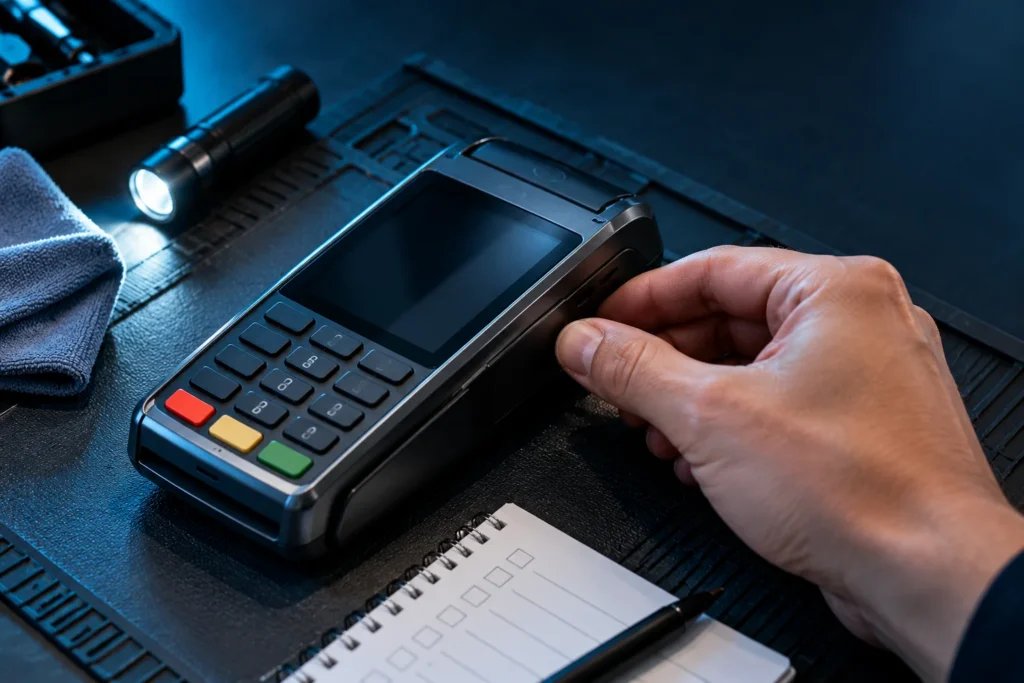

Are credit card readers safe? Modern payment readers can provide strong protections for cardholder information when businesses use supported equipment, configure it correctly, and protect it from tampering. EMV chip technology, contactless payments, encryption, and validated payment-security solutions can help reduce specific risks. However, no card reader is completely immune to fraud, physical interference, outdated software, or improper handling.
For business owners, the more useful question is whether the specific reader at your checkout counter is appropriate, supported, properly configured, and safe to continue using.
A payment terminal may look perfectly normal while running outdated software. Another may use modern EMV technology but have been modified by someone attempting to steal payment information.
I’ve worked with merchants since co-founding Valued Merchant Services in 2006. During that time, payment technology has evolved considerably, from traditional magnetic-stripe readers to chip-enabled terminals, contactless devices, and connected POS systems.
One principle has remained consistent: choosing the right equipment is only part of protecting a business and its customers.
Owners also need practical procedures for inspecting devices, controlling access, verifying technical support, and recognizing when something isn’t right.
This guide explains the differences between common credit card readers, seven security checks worth making, how to spot potential tampering, and what to ask before purchasing or replacing payment equipment.
Are Credit Card Readers Safe? The Quick Answer
7 Checks for Safer Credit Card Readers
- Verify the device: Know the manufacturer, model, serial number, and authorized provider.
- Inspect for tampering: Watch for unfamiliar attachments, damaged housings, altered cables, or substituted devices.
- Use supported EMV and contactless acceptance: Avoid relying exclusively on outdated magnetic-stripe technology.
- Confirm data protection: Ask about encryption, SRED, and whether an eligible validated P2PE solution is in use.
- Check software and support: Keep payment applications and device firmware supported and updated through approved processes.
- Control access: Limit who can administer, replace, or service payment equipment.
- Know how to respond: Stop using a suspicious reader and contact your verified provider before accepting more payments through it.
Security controls and PCI DSS requirements depend on the specific payment environment. No terminal feature, certification, or payment method guarantees protection from every type of fraud or data compromise.
Which Types of Credit Card Readers Are Safer?
Payment readers use different technologies to capture information and initiate transactions.
Understanding those differences helps business owners identify potential limitations in their equipment.
Magnetic-Stripe Card Readers
Traditional magnetic-stripe readers capture information encoded on the card’s magnetic stripe.
Because that information is comparatively static, magnetic-stripe transactions are more vulnerable to certain copying and counterfeit-card attacks.
Criminals can also attach skimming equipment to some readers to capture payment information when a card is swiped.
Magnetic-stripe acceptance may still be needed for certain supported fallback or legacy scenarios. However, a business should not rely exclusively on swipe-only technology when modern, compatible acceptance methods are available.
Whether a fallback transaction is permitted and how liability applies depend on the card-network rules, equipment capabilities, and circumstances.
EMV Chip Card Readers
EMV chip technology improves protection against certain counterfeit-card transactions.
Instead of relying only on static magnetic-stripe information, an eligible EMV transaction uses transaction-specific cryptographic information to help authenticate the card.
That makes it much harder to create a functioning counterfeit EMV transaction simply by copying previously captured transaction data.
However, EMV is not a universal fraud-prevention system.
It does not automatically prevent physical terminal tampering, unauthorized employee access, stolen-card use, online fraud, or customer disputes.
Also, not every EMV chip transaction requires a PIN. The card, issuer, network, and terminal configuration determine the applicable cardholder verification method.
For more technical background, see EMVCo’s explanation of EMV chip technology.
Contactless and NFC Card Readers
Contactless readers allow eligible customers to tap a supported credit card, debit card, smartphone, or wearable device near the reader.
Modern EMV contactless technology also uses transaction-specific security mechanisms.
That can provide important protection against certain counterfeit-payment methods.
However, contactless capability does not mean the physical terminal cannot be tampered with or that the merchant’s network and software are automatically secure.
The business still needs appropriate equipment management and security procedures.
For practical setup guidance, see our contactless payments for small business guide.
Mobile Readers and Smartphone Payments
Portable card readers and approved tap-to-phone applications can also support secure payment acceptance.
However, the security requirements depend on the specific solution.
A mobile reader attached to a smartphone is different from a smartphone using an approved contactless payment application without an external reader.
Businesses should confirm the equipment, app, device operating system, and payment provider are supported for the intended transaction types.
Our mobile payment solutions guide compares the different mobile acceptance options.
7 Credit Card Reader Safety Checks Every Merchant Should Know
These checks focus on the actual devices employees and customers use, rather than the broader cybersecurity controls covered in our separate secure-processing article.
1. Verify the Manufacturer, Model, and Serial Number
A business should know which payment devices belong at each checkout location.
For applicable card-present environments, PCI DSS Requirement 9.5 addresses maintaining a current inventory of point-of-interaction devices, periodic inspections, and employee awareness of tampering or substitution.
An appropriate inventory can include:
- Manufacturer and device model
- Serial number or another unique device identifier
- Physical location within the business
- Assigned merchant or checkout location
- Authorized service or equipment provider
It can also be useful to keep reference photographs of the front, sides, back, cabling, and normal installation.
For example, if your restaurant has four payment terminals, an employee should be able to recognize when one device looks different or its identification no longer matches your records.
Keeping accurate device information also helps when contacting technical support.
2. Inspect the Reader for Physical Tampering
Payment terminals can be targeted by criminals seeking to install skimming devices or substitute unauthorized equipment.
Look for unusual changes, including:
- Broken or disturbed seals where applicable
- New attachments near the card slot or keypad
- Housings that appear loose, damaged, or unusually thick
- Unfamiliar wiring or cables
- Unexpected labels or altered device identification
- Changes that do not match reference photographs
Some tampering is difficult to detect visually. The absence of obvious damage does not prove a device is uncompromised.
PCI DSS calls for periodic inspections where Requirement 9.5 applies. The appropriate inspection frequency should follow the applicable requirements and the merchant’s documented risk assessment, rather than assuming every business has one universal daily schedule.
The PCI Security Standards Council’s device-security guidance explains these responsibilities.
3. Confirm EMV and Contactless Capabilities Are Supported
Modern payment readers commonly support EMV chip transactions and eligible NFC contactless payments.
However, a terminal having a chip slot or contactless symbol does not prove the features are correctly configured for a particular merchant account.
Ask your payment provider:
- Does this model support the card types we accept?
- Are EMV and contactless acceptance configured correctly?
- Is the device’s payment application supported?
- Are there any known compatibility restrictions?
- Does the provider require a hardware or software upgrade?
Older equipment may continue to process some transactions while lacking features that would benefit the merchant.
That does not mean every older terminal must immediately be discarded. The decision should depend on the device’s support status, applicable security requirements, and the business’s actual needs.
4. Ask How the Reader Protects Cardholder Data
One of the most important questions is what happens to sensitive card information after the reader captures it.
Merchants often hear terms such as EMV, encryption, tokenization, SRED, and P2PE.
Those terms describe different technologies or security arrangements. They should not be treated as interchangeable.
EMV Authentication
EMV uses transaction-specific cryptographic data to help authenticate eligible chip and contactless transactions.
Its primary counterfeit-card protections are different from encrypting the merchant’s entire payment data flow.
Encryption
Encryption is used to make information unreadable without the appropriate decryption capability.
The protection depends on what is encrypted, when encryption occurs, how keys are managed, and which systems can access the information.
SRED: Secure Reading and Exchange of Data
Some PCI-approved payment terminals have been assessed for SRED functionality, which can protect captured account data through an appropriate encryption implementation.
However, a device’s SRED capability may be optional or depend on the installed payment application.
A merchant should not assume that purchasing a device with a security-related approval automatically activates every available feature.
Validated Point-to-Point Encryption (P2PE)
A PCI-listed validated P2PE solution includes requirements covering more than the individual terminal.
It addresses the approved solution’s devices, encryption, decryption, key management, and operational controls.
Using an eligible validated P2PE solution can reduce certain PCI DSS compliance responsibilities for the merchant, but it does not eliminate all of them.
The PCI Security Standards Council explains these distinctions in its payment terminal assessment FAQ.
What to ask your provider: Is this terminal’s payment application configured to encrypt cardholder data appropriately? Does the solution use SRED? Is the complete arrangement a PCI-listed validated P2PE solution, or simply a device with certain encryption capabilities? The answers matter more than broad claims that equipment is completely secure.
5. Verify Software Support and Device Approval Status
Credit card readers contain software and firmware that may need authorized updates.
Over time, a device manufacturer may stop supporting a model or issuing updates.
PCI PTS approval status can also change as device approval periods expire.
That does not automatically mean a terminal with an expired PTS approval becomes prohibited from use on the expiration date. Applicable payment-brand requirements and the acquiring institution’s policies determine whether continued use is permitted.
However, older devices may lack protections against more recent attack techniques.
Before buying or continuing to use a terminal, ask:
- Is the hardware model still supported?
- Is the installed payment application maintained?
- How are authorized firmware and security updates delivered?
- Is the device listed under the relevant PCI approval program?
- Does the acquirer permit this model for our account?
The PCI SSC Approved PTS Devices listing is one useful source for verifying relevant device information.
Device approval and payment-brand acceptance are related but separate considerations.
6. Control Who Can Access, Replace, or Service the Reader
A properly functioning payment terminal can still be compromised if unauthorized people can access or modify it.
Employees should know which equipment service providers are authorized and how to verify a service visit.
For example, someone may arrive claiming to represent the processor and ask to replace a terminal or install an update.
Staff should confirm the request through a verified provider contact before allowing that person to access the equipment.
Additional precautions may include:
- Restricting access to unused terminals
- Following documented device-replacement procedures
- Limiting administrative permissions
- Verifying service technicians and support requests
- Recording authorized equipment changes
- Protecting devices from unauthorized physical access
Not every payment device must be physically tethered to a countertop. The applicable security requirement is to protect it against tampering and unauthorized substitution through suitable controls.
For portable devices, establish clear checkout, storage, and return procedures so employees know where equipment should be.
7. Establish a Response Procedure for Suspicious Equipment
The final check is making sure employees know what to do when something appears wrong.
A suspicious reader should not remain in service simply because it still turns on or processes transactions.
Train employees to stop using the device, report the concern promptly, and follow the appropriate provider instructions.
Do not let an untrained employee open the device, remove a suspected skimmer, or attempt to reset it without direction.
A questionable device may contain evidence relevant to an investigation.
The appropriate response depends on the circumstances, but the business should prioritize stopping possible exposure, preserving relevant information, and notifying the proper parties.
How Can You Tell if a Credit Card Reader Has a Skimmer?
A skimmer is an unauthorized device or modification designed to capture payment card information.
Some skimmers are placed over an existing card slot or keypad. Others are concealed within modified equipment.
Because designs vary, employees should look for changes rather than rely on one particular appearance.
Common Warning Signs
- A card slot looks larger or sits differently than usual.
- A keypad appears raised, loose, or covered by an unexpected overlay.
- An unfamiliar cable, attachment, or component has appeared.
- The terminal housing shows damage or evidence of opening.
- The device’s serial number or appearance no longer matches business records.
- An unexpected individual attempts to service or replace the terminal.
These signs can justify further investigation, but they do not prove a skimmer is present.
Likewise, skimming equipment may be concealed well enough that ordinary visual inspection will not detect it.
Merchants should maintain inspection and access-control procedures rather than relying exclusively on the visible warning signs.
Should Employees Pull on a Reader to Test for a Skimmer?
Do not make forcefully pulling, twisting, or dismantling payment equipment your default inspection procedure.
That can damage legitimate devices, interfere with protective features, or disturb potential evidence.
Use the manufacturer’s and provider’s authorized inspection instructions.
If something appears suspicious, stop using the reader and contact the appropriate provider.
The PCI Security Standards Council’s small-merchant inspection guidance provides further recommendations.
What Should a Business Do if a Card Reader Looks Suspicious?
If an employee believes a payment reader may have been tampered with or replaced, the business needs a clear response.
Suspected Tampering: Immediate Response
- Stop using the suspicious device. Do not continue running customer cards through it.
- Notify the responsible manager. Follow the business’s payment-security procedures.
- Contact the verified equipment provider or acquiring institution. Do not rely on an unexpected caller’s contact information.
- Preserve relevant evidence. Avoid dismantling, resetting, or modifying the suspicious equipment unless directed by the appropriate response team.
- Follow incident instructions. Determine whether specialist investigation, reporting, or other action is required.
- Use an approved alternative. If available, process payments using another authorized, unaffected payment method.
Not every equipment problem indicates fraud. A damaged charging cable or malfunctioning touchscreen may be an ordinary technical issue.
However, employees should not dismiss unexpected physical changes without verification.
If a payment-data compromise is suspected, follow the applicable incident-response and notification requirements rather than handling the situation as an ordinary terminal repair.
Credit Card Reader Security Features Compared
The following comparison shows why a single feature does not establish whether a complete payment system is safe.
| Technology or Control | Primary Purpose | Important Limitation |
|---|---|---|
| Magnetic stripe | Reads traditional stripe-based card information. | Static data is more vulnerable to certain copying and counterfeit attacks. |
| EMV chip | Uses transaction-specific security information for eligible chip payments. | Does not prevent every kind of fraud or physical tampering. |
| EMV contactless | Provides eligible tap-to-pay acceptance with modern EMV security mechanisms. | Does not eliminate terminal, software, or network security risks. |
| PCI PTS approval | Assesses supported payment devices against relevant security requirements. | Does not by itself establish merchant PCI DSS compliance or activate optional encryption. |
| SRED | Provides a means to protect captured account data in appropriately configured devices. | Its implementation and activation must be verified. |
| Validated P2PE | Protects card data through an approved end-to-end solution design. | Requires use of the listed solution according to its requirements; it does not eliminate all PCI duties. |
| Physical inspection | Helps identify device tampering or unauthorized replacement. | Visual checks cannot detect every sophisticated compromise. |
My recommendation: Evaluate the entire payment arrangement, not just a chip-reader logo, an encryption claim, or one security certificate.
Credit Card Reader Safety in Different Business Environments
Physical reader security matters across industries, but everyday risks and inspection procedures can differ.
Retail Stores With Countertop Readers
A retailer with two checkout counters should maintain accurate device records and establish appropriate inspections.
For example, employees can verify the expected model and appearance during their scheduled security checks.
If someone claims to have replaced a reader overnight, the manager should confirm the change through the appropriate provider before using the device.
Restaurants With Handheld Payment Devices
Restaurants may use portable terminals that move between employees and tables.
For these businesses, device tracking and controlled storage become especially important.
Managers should know how many devices are assigned to the location and which ones should be present at the end of a shift.
Lost or unexpectedly substituted equipment should be investigated according to the restaurant’s procedures.
Mobile Contractors and Field-Service Businesses
Contractors may accept payments using wireless terminals or approved smartphone-connected readers.
Mobile equipment faces additional practical concerns, including lost devices, physical damage, battery problems, and unauthorized access.
Employees should protect devices during transportation and report missing equipment promptly.
The payment application and any connected smartphone should also follow the applicable device-security requirements.
Convenience Stores and High-Traffic Locations
At high-traffic locations, payment readers may be accessible to many customers throughout the day.
Businesses should evaluate appropriate physical placement, employee supervision, and inspection procedures.
Unexpected service visits, unfamiliar attachments, and equipment substitutions deserve particular attention.
A well-organized device inventory makes those changes easier to recognize.
How to Choose a Safer Credit Card Reader for Your Business
When comparing payment equipment, I recommend asking questions about security, operational compatibility, and total cost.
A reader with an impressive list of features may be the wrong choice if it cannot support your processing provider or software.
Questions to Ask Before Purchasing
- Is this device supported by my processor? Confirm the exact model and required payment application.
- Does it support current chip and contactless acceptance? Verify the required card brands and payment methods.
- What PCI approval does it have? Ask about relevant device approvals and current acceptance requirements.
- How is payment data encrypted? Clarify SRED capabilities and whether the full solution is PCI-listed P2PE.
- How are security updates delivered? Confirm that the hardware and software remain supported.
- Who can service the device? Identify authorized technicians and replacement procedures.
- What happens if it is lost or compromised? Ask about reporting, replacement, and incident-response support.
- What will the complete setup cost? Include hardware, software, processing fees, connectivity, and applicable commitments.
Can an Existing Credit Card Reader Be Reused?
Sometimes.
Compatibility depends on the model, processor, software, acquiring relationship, device ownership, and applicable restrictions.
Some terminals can be reconfigured for an eligible processing arrangement. Others cannot.
Before replacing a working device, ask the provider whether it remains suitable, supported, and compatible.
Replacing equipment solely because something newer exists is not necessarily a good business decision.
Does a More Expensive Reader Mean Better Security?
Not automatically.
A higher price may reflect a larger display, printer, battery, POS features, cellular connectivity, or software capabilities.
Those features may be valuable, but price alone is not proof of superior payment-data protection.
Security should be evaluated through the actual device, approved software, configuration, provider responsibilities, and documented protections.
Does PCI Compliance Mean Your Credit Card Reader Is Completely Safe?
No.
PCI DSS establishes technical and operational requirements for protecting applicable payment account data.
As of October 2026, PCI DSS version 4.0.1 is the current published standard.
Using an approved reader can support a business’s security efforts, but it does not automatically make every part of the business compliant.
For example, the merchant may still need appropriate procedures for device inspection, account access, software management, and service-provider oversight.
Similarly, PCI compliance is not a promise that a device will never be attacked or that a customer will never dispute a payment.
The PCI Security Standards Council explains these distinctions in its payment terminal and PCI DSS guidance.
For a broader operational security checklist, see our separate article on secure credit card processing for merchants.
How Valued Merchant Services Helps Businesses Evaluate Card Readers
At Valued Merchant Services, we’ve helped business owners evaluate payment equipment and processing solutions since 2006.
Our available options include eligible EMV and contactless terminals, wireless payment devices, point-of-sale systems, and compatible payment-processing technology.
We start by understanding what the business already uses.
For example, a small retailer may have a supported terminal that only needs an appropriate configuration or software update.
A restaurant may need better handheld equipment. A contractor may benefit from a more practical wireless payment device.
Other merchants may need to replace equipment that no longer meets their provider’s support or compatibility requirements.
Our team can help businesses review available hardware, payment features, processor compatibility, pricing, and support arrangements.
Where specific PCI compliance assessments, device validations, or technical security investigations are required, those should be performed through the appropriate qualified providers and procedures.
We believe equipment recommendations should be based on the merchant’s needs rather than pressure to purchase something new.
If your current device is suitable and competitively supported, we’ll tell you when keeping it makes more sense.
That’s part of our commitment to putting people before profits.
Not Sure Whether Your Card Reader Needs Replacing?
Valued Merchant Services can help you evaluate your current payment terminal, review compatible alternatives, and understand your available EMV, contactless, and POS options. We’ll explain the practical tradeoffs before recommending a change.
You can also contact our team, call 800-531-8575, or email support@valuedmerchants.com.
No obligation to change providers. Equipment availability, processor compatibility, security features, pricing, and supported payment methods vary. No device or service guarantees protection against every security incident or payment dispute. Suspected tampering or compromise should be reported through the appropriate provider’s incident-response channels.
Frequently Asked Questions About Credit Card Reader Safety
Are credit card readers safe for customers?
Supported, appropriately configured modern readers can provide strong protections for eligible card transactions. However, businesses still need physical security, device inspections, supported software, and safe data-handling procedures. No reader is completely risk-free.
Are EMV chip readers safer than magnetic-stripe readers?
EMV chip technology provides stronger protection against certain counterfeit-card attacks because it uses transaction-specific cryptographic information. Traditional magnetic-stripe data is comparatively static and more susceptible to certain copying attacks. EMV does not eliminate every type of fraud.
Can someone steal credit card information from a payment terminal?
Yes. Criminals may attempt to compromise readers through skimming devices, unauthorized replacement, software attacks, or other methods. Appropriate inspection, access control, supported equipment, and data-protection measures help reduce exposure.
How often should a business inspect credit card readers?
Applicable PCI DSS requirements call for periodic inspections of certain card-present payment devices. The frequency should reflect the applicable requirements and the business’s documented risk assessment. A merchant should follow its approved security procedure rather than assume one universal inspection interval applies to everyone.
Does a PCI-approved credit card reader guarantee PCI compliance?
No. Device approval addresses specified hardware security requirements. PCI DSS compliance also depends on the merchant’s payment environment, system configuration, procedures, and applicable validation obligations.
Are wireless credit card readers secure?
Wireless readers can support secure payment processing when used with compatible, properly configured equipment and approved applications. Businesses must still consider device access, software maintenance, connectivity, encryption, and applicable security procedures.
How can I tell if a card reader has been tampered with?
Warning signs can include unfamiliar attachments, damaged housings, unexpected wiring, altered identification, or a device that looks different from reference records. However, some compromises are difficult to detect visually. Stop using suspicious equipment and contact the verified payment provider.
Does a credit card reader need to be replaced when its PCI approval expires?
Not automatically. Approval expiration and continued payment-brand acceptance are separate matters. The merchant should confirm the device’s support status and applicable requirements with the acquiring institution or payment provider.
Can Valued Merchant Services help evaluate my current card reader?
Yes. Valued Merchant Services can help eligible businesses review payment equipment, processing compatibility, and available terminal or POS alternatives. Formal compliance validation and investigations of suspected compromised devices must follow the appropriate qualified-provider procedures.
Final Thoughts: A Safer Reader Requires More Than Modern Hardware
Credit card reader safety depends on more than whether a terminal accepts EMV chip cards or contactless payments.
Businesses also need to know which devices are authorized, whether the software remains supported, how payment information is protected, and whether staff can recognize suspicious changes.
For a small retail store, the first improvement may be documenting its existing terminals and establishing inspection procedures.
For a restaurant, it may involve better controls over handheld devices.
For a business using older equipment, it may be time to review processor compatibility, support status, and available security protections.
My advice is to start with the equipment you already have.
Verify the device. Understand its security features. Ask your provider what protections are actually enabled. Train employees to notice suspicious changes and know what to do when something seems wrong.
After two decades in merchant services, I still believe business owners deserve clear information before spending money on new payment technology.
The goal isn’t to purchase the newest credit card reader. It’s to use a supported, appropriately secured payment solution and maintain the procedures that help protect your customers and your business.
Sources and Additional Reading
The following primary sources provide more information about payment terminal security, EMV, PCI approvals, and inspection requirements.
- PCI Security Standards Council: How PCI DSS Applies to Payment Terminals
- PCI Security Standards Council: Payment Terminal Assessments and Encryption
- PCI Security Standards Council: Physical Security and Terminal Inspection Requirements
- PCI Security Standards Council: Approved PTS Devices
- PCI Security Standards Council: Expired PTS Device Approvals
- EMVCo: EMV Contact Chip Technology
- PCI Security Standards Council: Inspect and Protect Payment Devices
Educational information only. Payment terminal approvals, PCI DSS requirements, security technologies, payment-brand rules, and provider support policies may change. Merchants should confirm their specific device requirements, compliance responsibilities, and incident-response procedures with the appropriate acquirer, payment provider, qualified assessor, or security professional.
