
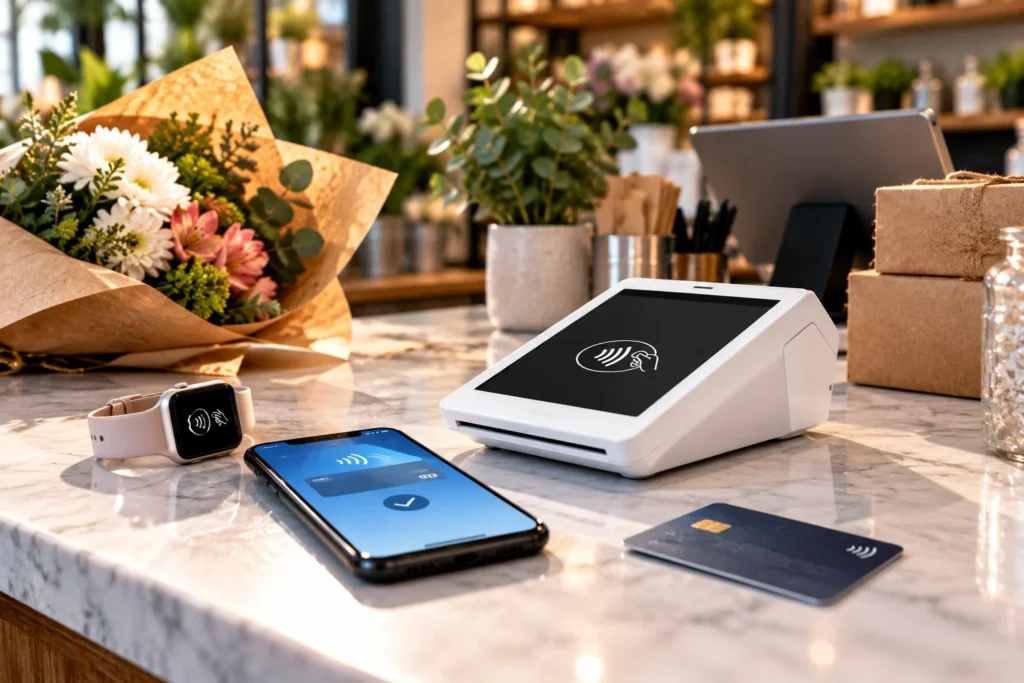

Contactless payments for small business allow customers to pay by tapping a compatible credit card, debit card, smartphone, or smartwatch near an enabled payment terminal. To start accepting contactless payments, a business needs supported hardware or an approved tap-to-phone solution, compatible payment processing, and a correctly configured checkout system.
For retailers, restaurants, cafés, salons, and service businesses, contactless checkout can make everyday transactions more convenient. Customers can use a physical card or a supported digital wallet without handing their card to an employee.
However, accepting contactless payments involves more than purchasing a terminal with a contactless symbol.
Business owners should understand hardware compatibility, payment processing fees, debit-card authentication, software integration, employee training, security, and what happens when a tap doesn’t work.
Since founding Valued Merchant Services in 2006, I’ve worked with businesses that have very different payment requirements. A neighborhood coffee shop, a full-service restaurant, and a contractor collecting payment at a customer’s home don’t necessarily need the same checkout equipment.
My recommendation is to evaluate the entire payment experience before investing in new devices.
In this guide, I’ll explain how contactless payments work and walk through seven practical steps for choosing, setting up, and managing contactless payment acceptance for your business.
Contactless Payments for Small Business: Quick Overview
Contactless Payment Setup at a Glance
- Technology: Near-field communication (NFC) and compatible EMV contactless payment technology.
- Accepted methods: Eligible contactless credit cards, debit cards, smartphones, and smartwatches.
- Equipment: An enabled NFC payment terminal, compatible POS system, or approved tap-to-phone solution.
- Processing: Requires a supported payment-processing arrangement.
- Fees: Depend on the card, transaction, network, processor, and merchant agreement.
- Security: Contactless EMV transactions use transaction-specific security information, but risks remain.
- Merchant funding: Payment authorization and money reaching your bank account are separate events.
- Best first step: Check whether your existing equipment already supports contactless acceptance.
How Do Contactless Payments Work?
Contactless payment technology allows a supported card or payment-enabled device to communicate with a compatible terminal over a short distance.
Near-field communication, commonly called NFC, provides the short-range communication used by many modern contactless payment systems.
When a customer taps or holds an eligible contactless card near the reader, the card and terminal exchange the information needed to initiate the transaction.
For an EMV contactless payment, the transaction includes cryptographic information that helps the issuing institution verify the payment.
EMVCo, the organization that maintains EMV payment specifications, explains that contactless EMV generates a unique security code for each transaction. This makes certain counterfeit-payment attacks more difficult than with traditional magnetic-stripe transactions.
Learn more from EMVCo’s official contactless chip documentation.
What Happens When a Customer Taps a Card?
- The business starts the sale. The POS or payment terminal displays the amount due.
- The customer presents a payment method. They tap an eligible card, phone, or watch near the terminal’s contactless reader.
- The terminal receives payment information. The compatible payment application handles the data according to the supported security process.
- The processor requests authorization. The transaction travels through the applicable payment infrastructure to the issuing institution.
- The issuer responds. The transaction receives an approval or decline response, or an additional verification step may be required.
- The merchant completes the checkout. The system records the transaction and provides an eligible receipt.
Clearing, settlement, and merchant funding follow under the applicable processing arrangement.
A quick approval at the terminal does not mean the merchant’s bank account has already received the money.
Contactless Cards vs. Digital Wallets
A contactless card contains a chip and antenna designed for compatible payment readers.
Digital wallets such as Apple Pay and Google Pay allow eligible payment credentials to be used through compatible smartphones or other supported devices.
Both may use the same contactless terminal at checkout, but the underlying device authentication and credential-handling arrangements can differ.
For example, an eligible wallet transaction may require the customer to unlock or authenticate on their phone or watch before completing payment.
The merchant generally doesn’t need a separate reader solely because the customer prefers a supported digital wallet over a physical contactless card.
Are Contactless Payments Always PIN-Free?
No.
Many contactless purchases proceed without entering a PIN on the merchant’s terminal. However, transaction amount, issuer requirements, debit-network rules, cardholder verification, and the payment method can affect what authentication is required.
Merchants should not promise that every contactless transaction will work without additional verification.
Likewise, a debit card remains a debit card when the customer taps it, even if the transaction does not require a PIN.
Our separate debit vs. credit card processing guide explains these differences in greater detail.
What Equipment Do Small Businesses Need for Contactless Payments?
Businesses have several options for accepting contactless payments. The right equipment depends on how customers check out and which other functions the business needs.
NFC-Enabled Countertop Terminals
For a store with a fixed checkout counter, an appropriately configured EMV and NFC-enabled terminal may be the simplest option.
The terminal can accept eligible contactless cards and wallets while supporting other permitted payment methods.
Before replacing your current device, check whether it already has NFC capability that can be enabled through the supported processor configuration.
Integrated Retail POS Systems
A retail POS combines payment acceptance with software for products, taxes, discounts, receipts, and reporting.
Depending on the selected system, it may also manage inventory and employee permissions.
Contactless payments should connect correctly to these existing processes rather than create a second, disconnected checkout system.
Restaurant POS and Handheld Devices
Restaurants may use fixed terminals or portable devices that accept contactless cards at the counter or table.
However, restaurant payment equipment must also support operational requirements such as tips, split checks, menu items, and receipts where applicable.
A contactless reader that works in retail may not provide the software functions a full-service restaurant needs.
Wireless and Portable Terminals
A mobile business may prefer a battery-powered device with supported Wi-Fi or cellular connectivity.
For example, a home service company can collect an eligible contactless payment after completing work at the customer’s location.
Device battery life, network coverage, transaction reporting, and receipt options all matter.
Tap to Pay on a Smartphone
Eligible merchants may also be able to accept contactless payments directly on a supported smartphone using an approved payment application.
Depending on the provider, this can eliminate the need to carry a separate card reader for certain transactions.
However, not every phone, processor, or transaction type qualifies. Contactless-only acceptance may also be subject to applicable card-network conditions.
Businesses that require chip insertion, paper receipts, or more advanced POS capabilities may still need dedicated equipment.
For a broader equipment comparison, read our mobile payment solutions guide.
Contactless Equipment Comparison
| Equipment | Good Fit For | What to Verify |
|---|---|---|
| NFC countertop terminal | Small retail and service counters | Processor compatibility and NFC activation |
| Integrated retail POS | Stores managing products and inventory | Software features, integrations and pricing |
| Restaurant handheld POS | Tableside and counter-service checkout | Tips, orders, receipts and connectivity |
| Wireless terminal | Field services and temporary locations | Coverage, battery and device support |
| Tap to Pay on phone | Eligible contactless-only transactions | Phone, app, processing and acceptance requirements |
7 Steps to Set Up Contactless Payments for Small Business
The following steps provide a practical implementation process for businesses adopting or upgrading contactless payment acceptance.
Step 1: Review Your Existing Payment Equipment
Before purchasing anything, identify the terminal or POS equipment your business currently uses.
Look for the contactless symbol on the card reader, but don’t assume that a symbol alone proves the feature is active.
Ask your payment provider:
- Does this exact device support EMV contactless payments?
- Is contactless acceptance enabled on our account?
- Which card networks and digital wallets are supported?
- Does our software require an update or reconfiguration?
- Can we retain the existing hardware without changing processors?
Some merchants may already have suitable equipment and only need supported configuration or training.
Others may need a replacement terminal or a more capable POS system.
Step 2: Choose Equipment That Fits Your Workflow
Consider where customers pay and what employees need to do before and after a transaction.
A boutique may need inventory-linked checkout. A café may need quick item selection and tipping. A contractor may only need a portable terminal and digital receipts.
Also confirm whether the equipment supports other payment methods your customers use, including chip transactions where applicable.
The goal is to avoid purchasing a contactless device that doesn’t support the rest of your business.
Step 3: Confirm Processing Compatibility and Fees
Make sure the chosen equipment or payment application works with your intended payment provider.
Not every terminal can be reprogrammed for every processor.
Request a written breakdown of transaction charges, monthly fees, software subscriptions, equipment expenses, and any additional services.
Ask whether contactless card transactions are priced differently from eligible chip-card transactions under your specific arrangement.
Never assume that every contactless payment has one universal processing rate.
Step 4: Configure and Secure the Device
Once the appropriate merchant account and equipment are available, follow the provider’s approved activation instructions.
This may involve software updates, device registration, account configuration, network settings, and supported payment applications.
Make sure administrative access is limited to authorized personnel.
Do not install unofficial payment applications or attempt unsupported firmware changes.
For a POS system, confirm that the payment terminal properly communicates with the sales software and transaction reporting.
Step 5: Test Contactless Cards and Digital Wallets
Before normal customer use, complete the provider’s approved testing and activation process.
Test eligible payment methods supported by the account, which may include contactless credit cards, debit cards, and digital wallets.
Verify that the device displays the correct amount and provides a clear approved or declined result.
Also check that transactions appear correctly in the POS or payment dashboard.
Test tips, receipts, refunds, and other relevant functions where supported.
Don’t assume that successfully processing one payment means every checkout function is configured correctly.
Step 6: Train Employees and Explain the Tap Process
Employees should know where the contactless reader is located, when customers should present a card, and what to do when additional authentication is requested.
A simple instruction such as “You can tap your card or phone when the amount appears” is often sufficient.
Also train staff to recognize the difference between a transaction that is approved, declined, canceled, or still pending.
If a customer has trouble tapping, the employee should follow the device’s supported instructions rather than repeatedly restarting payments without checking the transaction status.
Use appropriate contactless signage so customers know the payment option is available.
Step 7: Monitor Checkout Performance and Deposits
After going live, review how the system performs during actual business hours.
Look for repeated declines, device connection issues, employee confusion, missing receipts, or reconciliation differences.
Review transaction reports and confirm that captured transactions are included in the relevant settlement and deposit records.
Merchant funding follows the processing provider’s agreement, not simply the time a customer taps a card.
Eligible businesses may have access to Instant, Same Day, or Next Day Funding options through supported VMS programs. Availability and timing depend on provider requirements and merchant qualifications.
Make sure employees understand both the checkout process and where to find help when a payment problem occurs.
How Much Do Contactless Payments Cost Small Businesses?
Contactless payment costs depend on the merchant’s processing arrangement, payment method, applicable card fees, and equipment or software requirements.
There is no universal contactless transaction fee that applies to every business.
A merchant may encounter:
- Percentage-based card processing fees
- Fixed per-transaction charges
- Interchange and network costs
- Processor markup
- Equipment purchase or subscription charges
- POS software subscriptions
- Additional application or connectivity fees
Some merchants already have contactless-enabled equipment and incur no additional device purchase cost.
Others need new hardware, software, or compatible processing arrangements.
Does Tapping Cost More Than Inserting a Chip Card?
Not necessarily.
Both may qualify for applicable card-present pricing when processed correctly through eligible systems.
However, merchant costs can differ based on the card, network, transaction characteristics, and pricing agreement.
Ask the processor to explain the actual pricing applied to your payment mix rather than assuming that all chip and contactless transactions are identical.
A Hypothetical Monthly Cost Comparison
Imagine a small retailer processing $12,000 in monthly card sales through 240 transactions.
Illustrative Processing Cost Comparison
Arrangement A
2.65% + $0.10 per transaction
$12,000 × 2.65% = $318
240 × $0.10 = $24
Total: $342 per month
Arrangement B
2.50% + $0.15 per transaction
$12,000 × 2.50% = $300
240 × $0.15 = $36
Transaction fees: $336
Additional assumed monthly software fee: $25
Total: $361 per month
Illustrative Difference: $19 per month
These are hypothetical rates used to demonstrate the arithmetic. They are not actual VMS offers, published industry averages, or guaranteed savings. Additional contractual costs are excluded.
In this example, Arrangement B advertises a lower processing percentage but produces a higher overall monthly expense once its software charge is included.
That’s why I encourage business owners to evaluate the full payment system, not just one advertised rate.
For a comparison based on actual processing statements, you can request a free processing rate review.
Are Contactless Payments Secure for Small Businesses?
Modern contactless EMV technology uses transaction-specific security information to help protect eligible payments.
That provides important protections against certain counterfeit-card methods associated with older magnetic-stripe transactions.
However, contactless payments are not immune to all security incidents, unauthorized transactions, or cardholder disputes.
What Does the Contactless Chip Protect?
For applicable EMV contactless transactions, the card or payment device and reader use cryptographic information that helps establish the legitimacy of the transaction.
This is one reason contactless EMV acceptance differs from simply reading static magnetic-stripe information.
It would be incorrect, however, to claim that EMV chips contain no cardholder-related information.
They can contain payment application data, and the relevant security protections depend on the transaction and implementation.
Does Contactless Acceptance Eliminate PCI Requirements?
No.
Businesses accepting payment cards still need to understand and fulfill their applicable PCI DSS responsibilities.
A supported terminal can help reduce certain risks, but device security, employee access, data handling, and other operational responsibilities may remain.
Merchants should confirm the appropriate compliance validation process with their acquirer or designated PCI compliance provider.
The PCI Security Standards Council provides the relevant standards and guidance.
Can Contactless Transactions Be Disputed?
Yes.
A cardholder may dispute a transaction for a variety of reasons, including allegations of unauthorized activity, incorrect billing, or problems with the product or service.
Contactless payment technology does not guarantee that the merchant will win every dispute.
Merchants should retain appropriate transaction records and follow their processor’s procedures.
Our chargeback prevention guide explains common dispute causes and supporting documentation in more detail.
Contactless Payment Examples by Business Type
Retail Stores and Boutiques
Retail stores may benefit from contactless terminals integrated with product catalogs, inventory, discounts, and receipts.
For example, a boutique can allow a customer to tap a card while the POS automatically records the products sold.
The owner should confirm that contactless payment activity appears in the same reports as other card transactions.
Coffee Shops and Quick-Service Restaurants
A café may need quick item selection, tipping, and clear customer payment prompts.
Contactless acceptance can make checkout more convenient during busy periods, but actual transaction speed depends on the terminal, payment verification, and overall workflow.
Staff should know what to do when a customer is asked for additional authentication or the first tap doesn’t complete.
Full-Service Restaurants
Restaurants may prefer portable contactless payment devices for tableside checkout.
These systems should integrate with orders, tips, split checks, and other restaurant-specific requirements where supported.
A standalone card reader without the right software may not meet those needs.
Salons and Appointment Businesses
A salon can use contactless acceptance for service payments, retail products, and eligible tips.
If the business also manages appointments or recurring memberships, it should confirm how the payment system connects to those workflows.
Mobile Services and Outdoor Vendors
Contractors, food vendors, mobile detailers, and other field businesses may use wireless terminals or supported smartphone-based contactless acceptance.
Connectivity, battery life, receipt delivery, and backup payment procedures become especially important outside a fixed store.
The business should test its payment equipment in the locations where it operates.
What Should Employees Do When a Contactless Payment Fails?
A failed tap does not automatically mean the card is invalid or that the customer lacks funds.
The device may not have received the payment information correctly, additional verification may be required, or the issuer may have declined the transaction.
Check the Terminal Message First
Read the displayed status before attempting another payment.
There is an important difference between a canceled transaction, a declined authorization, and a payment still awaiting a response.
Try the Supported Payment Method Again
If the terminal indicates that the card wasn’t read, follow the provider’s approved retry procedure.
Check where the device expects the customer to present the card or wallet.
Do not repeatedly tap or restart the sale without confirming the previous transaction status.
Use an Approved Alternative When Needed
If the contactless method cannot complete the transaction, an eligible chip-card transaction or another supported payment method may be available.
Employees should follow the processor’s instructions rather than bypassing a required security or authentication step.
Check Connectivity and Device Status
When multiple transactions fail, review the payment system’s connection and operational status.
If the device supports offline transactions, understand that such functionality may be limited and can involve financial risk.
Never assume offline acceptance guarantees that the issuer will later approve the payment.
Know When to Contact Support
Staff should have the provider’s verified contact information available.
When reporting a problem, identify the equipment model, approximate transaction time, displayed error, and other relevant details without exposing sensitive card information unnecessarily.
How Valued Merchant Services Helps Businesses Accept Contactless Payments
At Valued Merchant Services, we help small businesses evaluate payment terminals, POS systems, wireless devices, and compatible contactless payment technology.
Since 2006, our approach has been to understand how the merchant operates before recommending equipment or processing changes.
For example, a retailer may already have a suitable NFC terminal that only needs supported activation or configuration.
A restaurant might benefit from a handheld payment device that also supports order management.
A mobile service company may prefer a wireless terminal or an approved smartphone-based solution.
Our team can help eligible merchants review available options, equipment compatibility, processing fees, and applicable setup requirements.
We also believe it is important to explain the full cost of the proposed arrangement.
If your existing equipment and payment processing already serve your business well, we’ll tell you when keeping them makes more sense.
That’s part of our commitment to putting people before profits.
Ready to Accept Contactless Payments?
Valued Merchant Services can help you review your current equipment, compare NFC-enabled terminals and POS options, and determine whether your business needs a new system or can improve the one it already uses.
Review Your Contactless Payment Options
You can also call 800-531-8575 or email support@valuedmerchants.com.
No obligation to switch providers. Contactless acceptance, device compatibility, card support, approval, pricing, integrations, and funding options vary by processor and merchant qualifications. No transaction approval or savings are guaranteed.
Frequently Asked Questions About Contactless Payments
What are contactless payments for small business?
Contactless payments allow eligible customers to pay using a compatible card, smartphone, or wearable device near a supported NFC reader. Businesses need an appropriately configured terminal or approved tap-to-phone solution and a compatible payment-processing arrangement.
How does a small business start accepting contactless payments?
First, confirm whether the existing payment equipment supports NFC. Next, verify processor compatibility, activate the supported feature, configure the payment system, complete required testing, and train employees.
Do contactless payments cost more than chip-card payments?
Not necessarily. Costs depend on card characteristics, transaction requirements, network fees, and the processing agreement. Businesses should compare actual transaction charges and any equipment or software fees.
Can contactless payments accept Apple Pay and Google Pay?
Many modern contactless terminals support eligible digital wallets, including Apple Pay and Google Pay. The exact capabilities depend on the device, payment application, processing arrangement, and card or wallet eligibility.
Are contactless payments safe?
EMV contactless payments use transaction-specific security information that helps reduce certain counterfeit-card risks. However, no payment technology prevents every type of fraud, data compromise, or payment dispute.
Do customers need a PIN for contactless transactions?
Not always. Some transactions require no PIN entry, while others may involve additional verification depending on the card, issuer, network, payment amount, or applicable requirements.
Can I accept contactless payments without a separate terminal?
Some businesses can use approved Tap to Pay technology on a compatible smartphone. However, supported devices, applications, eligible transactions, and card-network requirements vary.
Do contactless payments require an internet connection?
Most normal connected payment workflows need suitable communication with the processing service. Certain providers support limited offline capabilities, but these vary and may expose merchants to payments that later fail authorization.
Does Valued Merchant Services offer contactless payment equipment?
Yes. Valued Merchant Services offers access to eligible contactless payment terminals, compatible POS systems, wireless equipment, and other supported solutions. Availability and pricing depend on the selected merchant-processing arrangement.
Final Thoughts: Make Contactless Checkout Work for Your Business
Contactless payments for small business can make it easier for customers to pay using the cards and digital wallets they already carry.
However, a good contactless payment system requires more than the ability to tap a card.
Businesses also need reliable equipment, appropriate software, clear employee procedures, transparent processing costs, and accurate reporting.
My advice is to start by reviewing what you already have.
Confirm whether your existing equipment supports contactless acceptance. Check the applicable fees and integrations. Test the complete checkout workflow, and train employees to handle the most common payment problems.
For some businesses, the right solution is a modern countertop terminal. For others, it may be a portable POS system or an eligible smartphone-based payment application.
Since founding Valued Merchant Services in 2006, I’ve believed that good payment technology should solve practical business problems, not create new ones.
The best contactless payment solution is the one that supports your customers, fits your daily operations, and makes financial sense for your business.
Sources and Additional Reading
The following primary sources provide further information about contactless payment standards, merchant acceptance, and payment security.
- EMVCo: EMV Contactless Chip Technology
- Visa: Contactless Payments for Merchants
- Visa: How Contactless Payments Work
- PCI Security Standards Council: PCI DSS
- Valued Merchant Services: What Are Contactless Payments?
This article provides general educational information. Card-network rules, payment acceptance requirements, device features, processing costs, PCI obligations, and provider services may change. Businesses should confirm current requirements and contractual terms with their payment provider, acquiring institution, or another qualified professional.
