
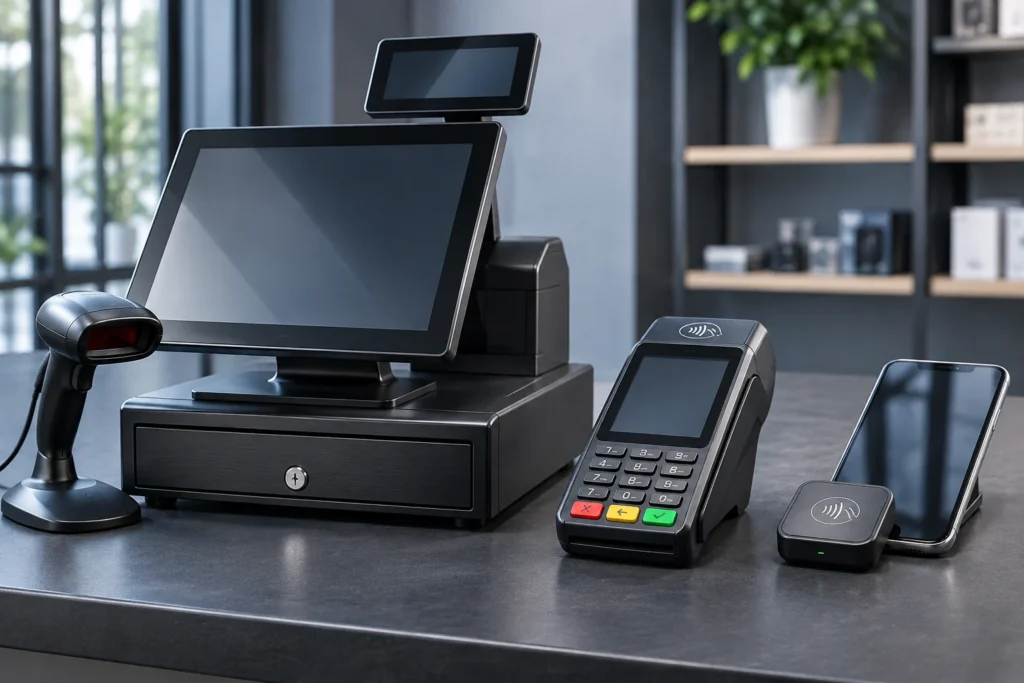

POS vs card terminal: which payment setup makes the most sense for your business? A standalone credit card terminal may be enough when you primarily need to accept payments. A mobile reader can make checkout more convenient away from a counter. A full point-of-sale (POS) system may be worth the additional cost when you need inventory, employee permissions, integrated reporting, restaurant ordering, or other business-management features.
However, the answer isn’t always that simple.
Some modern credit card terminals include basic POS functions. Certain mobile devices can operate as complete handheld point-of-sale systems. Meanwhile, some businesses already have accounting or industry-specific software and only need a compatible way to collect payments.
That’s why a useful POS vs card terminal comparison should focus on the work your business needs to accomplish, not just the hardware sitting on the counter.
Since co-founding Valued Merchant Services in 2006, I’ve helped business owners evaluate payment equipment, processing arrangements, and POS technology for different industries.
One mistake I encourage merchants to avoid is purchasing a sophisticated system with functions they’ll never use. Another is choosing inexpensive equipment that creates hours of unnecessary work each week.
In this guide, we’ll compare POS systems, standalone credit card terminals, and mobile readers using seven practical buying factors. You’ll also find a feature comparison, industry-specific examples, a hypothetical 36-month cost calculation, and questions to ask before signing an equipment or processing agreement.
POS vs Card Terminal: The Quick Answer
Which Payment Option Should You Consider?
- Credit card terminal: A strong starting point for straightforward in-person payments, particularly when business operations already run through other software.
- Mobile card reader: Often useful for simple portable payments at jobsites, markets, customer locations, or temporary checkout areas.
- Complete POS system: Often more useful when checkout needs to connect with inventory, menus, employee roles, customer information, or detailed reporting.
- Hybrid system: May be appropriate when a business needs a main checkout station plus supported handheld or mobile payment devices.
These are general starting points. Actual capabilities depend on the device, software subscription, payment application, acquiring relationship, and business requirements.
What Is the Difference Between a POS System, Card Terminal and Mobile Reader?
The main difference is the scope of work each solution performs.
A credit card terminal focuses on payment acceptance. A mobile reader emphasizes portable payment acceptance. A complete POS system connects checkout with other business operations.
However, these descriptions are not rigid product categories. Manufacturers increasingly combine payment hardware and business software into a single device.
What Is a Complete POS System?
A point-of-sale system includes the hardware and software used to create, manage, record, and complete sales.
Depending on its configuration, a POS system may support:
- Product catalogs, pricing, and item variations
- Inventory tracking and adjustments
- Discounts, returns, and sales tax calculations
- Employee permissions and activity reporting
- Multiple registers or business locations
- Customer management and eligible loyalty programs
- Restaurant menus, modifiers, tips, and kitchen workflows
- Supported ecommerce and accounting integrations
- Detailed sales and payment reporting
For example, a retailer may need every completed sale to update inventory. A restaurant may require an order to reach the kitchen before the payment transaction is completed.
Those tasks go beyond simply authorizing a card.
However, a complete POS system doesn’t necessarily require a large countertop register. Some systems operate through tablets or handheld devices.
For a broader comparison of POS vendors and features, see our POS system buyer’s guide.
What Is a Standalone Credit Card Terminal?
A standalone card terminal is primarily designed to accept eligible payment transactions through a supported processing arrangement.
Depending on the model, it may accept chip cards, contactless payments, eligible debit transactions, and compatible digital wallets.
Many devices also support tips, receipts, transaction adjustments, and basic reporting.
However, a conventional terminal may not provide the inventory, scheduling, order management, or advanced reporting functions of a dedicated POS platform.
For instance, an office already using practice-management software might need only a compatible countertop terminal to accept payments at reception.
Modern smart terminals can include additional applications, so verify the exact model and available features before deciding.
What Is a Mobile Card Reader?
A mobile reader generally accepts supported card payments through a compatible smartphone, tablet, or other connected device.
Portable payment options may support contactless cards, chip transactions, and mobile wallets, depending on the hardware and payment application.
However, some phone-based solutions can accept eligible contactless payments without an external reader.
For example, Tap to Pay on iPhone works through supported payment applications on eligible devices.
That capability can reduce equipment requirements for some merchants, but it does not replace every payment method, receipt requirement, or industry-specific workflow.
POS vs Card Terminal vs Mobile Reader: Feature Comparison
The following comparison describes typical capabilities rather than promising that every product in a category has identical features.
| Business requirement | Complete POS | Card terminal | Mobile reader |
|---|---|---|---|
| Main purpose | Checkout and business operations | Payment acceptance | Portable payment acceptance |
| Card payments | Through supported devices | Core function | Core function; methods vary |
| Inventory | Often available | Limited or optional | App-dependent |
| Menu and order management | Available on eligible plans | Usually limited | Depends on software |
| Employee permissions | Often supported | Model-dependent | Application-dependent |
| Paper receipts | Printer or accessory | Common on many models | Often digital; verify accessories |
| Mobility | Countertop or handheld | Fixed or wireless | Typically portable |
| Software complexity | Can be extensive | Often simpler | Typically app-based |
| Best starting fit | Integrated operating workflows | Straightforward fixed checkout | Simple mobile checkout |
Modern devices blur these distinctions. For example, Clover offers handheld devices with supported POS functions, while Square offers multiple combinations of payment hardware and software.
Similarly, Dejavoo provides contemporary countertop and wireless terminals for eligible payment-processing arrangements.
See the official Square hardware catalog, Clover hardware options, and Dejavoo P-terminal family for current specifications.
7 Smart Buying Tips for Choosing Between a POS and Card Terminal
When comparing POS vs card terminal options, these seven decisions will usually matter more than the appearance of the equipment.
1. Start With the Work Your Employees Actually Perform
Before reviewing products, write down the tasks involved in a typical sale.
Does an employee scan a barcode, select menu modifiers, create an invoice, apply a discount, record a deposit, adjust a tip, or update inventory?
A business that simply enters an amount and accepts a card may not need the same system as a retailer managing thousands of products.
For example, a local repair shop may already create work orders and invoices in dedicated management software.
If that software handles the operational work, the business may need only a compatible payment terminal or integrated card reader.
Buying tip: Choose equipment based on the actual checkout workflow. Don’t pay for features just because they appear impressive during a demonstration.
2. Check Your Existing Software Before Replacing It
A common POS vs card terminal mistake is assuming that a new payment system should replace every other business application.
Many companies already use reliable tools for accounting, inventory, scheduling, appointments, or industry-specific management.
Replacing them may require data migration, employee retraining, and new subscriptions.
Instead, determine whether the proposed payment device can work with those systems.
Important questions include:
- Will transactions flow into the accounting or invoicing software?
- Can the existing POS send amounts to the terminal?
- Will refunds and tips reconcile correctly?
- Can the business retain its current customer or product records?
- What happens if the integration stops working?
Always ask for confirmation covering the exact device, software version, processing provider, and supported integration.
Buying tip: Keep software that already meets your needs unless the new system provides a meaningful operational advantage.
3. Decide Where Your Business Needs to Accept Payments
Payment location is often the deciding factor when comparing a POS system, a card terminal, and a mobile reader.
A countertop terminal can work well when customers always pay at a fixed checkout area.
However, a business may need greater mobility for tableside payments, curbside service, customer visits, or temporary events.
A wireless credit card terminal can offer portable acceptance without necessarily depending on a separate smartphone.
By contrast, a compact mobile reader may depend on the connected phone or tablet for its application, connectivity, and receipts.
Some eligible smartphones can accept supported contactless payments directly, using an appropriate application and processing provider.
However, the supported card methods and offline capabilities vary.
Buying tip: Test payment acceptance at the locations where employees will actually work, especially when cellular or Wi-Fi coverage may be unreliable.
4. Compare the Complete Cost, Not Just the Hardware Price
One payment device may be less expensive to purchase while requiring higher monthly processing or software costs.
Another may have a higher initial price but reduce manual administrative work.
Consequently, POS vs card terminal comparisons should include:
- Upfront hardware costs
- Monthly POS or application subscriptions
- Processing percentages and per-transaction charges
- Printers, scanners, cash drawers, and other accessories
- Installation, training, and integration costs
- Equipment repair, replacement, or warranty terms
- Contract cancellation and hardware return obligations
Different payment plans may bundle these expenses differently.
For example, hardware described as free may still come with software charges or other contractual commitments.
Buying tip: Compare written proposals using the same transaction assumptions and a reasonable ownership period.
5. Confirm Every Payment Method You Need
Modern payment devices may support chip cards, contactless cards, mobile wallets, or additional payment methods.
However, hardware that supports a particular technology doesn’t automatically guarantee that every payment application or merchant program enables it.
Ask about:
- EMV chip transactions
- Eligible contactless cards
- Apple Pay and Google Pay
- Supported debit acceptance
- Tips, refunds, and adjustments
- Digital or printed receipts
- Payment links, invoicing, or recurring billing if needed
Phone-based contactless acceptance may suit some transactions but does not automatically replace every insert-card or specialized payment workflow.
For a deeper look, see our mobile payment solutions comparison.
Buying tip: Verify the payment methods your customers actually use before purchasing a device.
6. Evaluate Security, Reliability and Offline Limitations
Payment security is a requirement regardless of equipment type.
PCI DSS responsibilities depend on the merchant’s payment environment, devices, applications, networks, and service-provider relationships.
A standalone terminal doesn’t automatically eliminate those responsibilities, and a complete POS doesn’t necessarily create the same security requirements as every other POS arrangement.
Merchants also need to understand connectivity limitations.
Some eligible devices can accept certain transactions offline for later submission under specific provider conditions.
However, an offline transaction may not receive ordinary issuer authorization at the time of sale.
That means the merchant may face losses if the payment is later rejected.
Other devices and applications require an active connection for every transaction.
Buying tip: Ask about supported offline transactions, limits, reconnection requirements, merchant liability, device security, and appropriate PCI assistance.
7. Verify Processing Compatibility, Support and Exit Terms
Owning a payment device does not guarantee it can be reprogrammed for any credit card processor.
Some hardware and software platforms operate through specific supported acquiring or payment-processing relationships.
For example, Clover equipment has important provider-compatibility restrictions.
Our Clover POS guide explains how those restrictions can affect switching.
Before signing, also determine who provides support for the device, POS application, payment gateway, and merchant account.
Different companies may be responsible for different components.
Buying tip: Obtain complete written pricing, ownership, support, compatibility, and cancellation terms before purchasing or replacing payment equipment.
POS vs Card Terminal: Which Option Fits Your Industry?
These examples illustrate common operating needs. They are not descriptions of actual VMS customer outcomes.
Retail Store With a Large Product Catalog
A retailer that uses barcode scanning, tracks inventory, handles returns, and manages several employees may benefit from a complete POS system.
However, a small specialty shop with a limited product range may have simpler requirements.
Professional Office With Existing Practice Software
An office may already manage appointments, billing, and customer records through specialized software.
If it simply needs to collect payments at reception, a compatible terminal may be appropriate.
Any healthcare or other regulated data workflows should be evaluated separately.
Full-Service Restaurant
Table management, menu modifiers, kitchen communication, split checks, tipping, and tableside ordering often favor an integrated restaurant POS solution.
However, exact capabilities depend on the hardware and software plan.
Food Truck or Mobile Vendor
A wireless terminal, compact POS, or suitable mobile reader may work for a food truck.
Choose based on menu complexity, order volume, battery life, receipts, and connectivity rather than size alone.
Plumbing, HVAC or Field-Service Company
Contractors may already use dedicated software for estimates, scheduling, work orders, and invoicing.
A compatible mobile reader or terminal could complement those tools instead of replacing them.
Retailer With Multiple Locations
A multi-location business may need centralized product catalogs, location reporting, employee access controls, and inventory visibility.
An appropriate POS platform can offer operational value beyond a collection of disconnected terminals.
Occasional Market or Event Seller
A small mobile reader or eligible phone-based contactless solution may be sufficient for occasional simple sales.
However, merchants should verify all supported card types and plan for device or connectivity failures.
Salon or Spa
Appointments, tipping, staff schedules, customer records, and retail product sales may require specialized software.
A complete POS might help, but a terminal integrated with existing salon-management software could be equally appropriate.
Auto Repair Shop
Auto repair businesses frequently need estimates, work orders, parts management, customer approvals, deposits, and final invoices.
Instead of assuming a general retail POS is necessary, the owner should determine how payment acceptance fits the repair-management workflow.
The recurring lesson: Select a payment solution that works with the business’s existing operating process rather than forcing the business to operate around the device.
POS vs Card Terminal: A Practical 36-Month Cost Example
Consider a hypothetical retail business comparing a basic standalone terminal with a more comprehensive POS setup.
For simplicity, assume both arrangements have identical payment-processing charges and the comparison covers only the specified equipment and software.
| Expense | Standalone terminal | Complete POS |
|---|---|---|
| Hypothetical upfront hardware | $250 | $1,200 |
| Hypothetical monthly software | $0 | $65 |
| Software over 36 months | $0 | $2,340 |
| Illustrative three-year total | $250 | $3,540 |
The POS arrangement costs $3,290 more over 36 months under these assumptions.
However, that doesn’t establish which choice is more economical for the business.
Suppose the POS reduces duplicate data entry and other avoidable tasks by an assumed two hours each week.
If the business values those hours at $20 per hour, the annual labor-capacity value would be:
2 hours × $20 × 52 weeks = $2,080.
Over three years, that represents $6,240 in theoretical labor-capacity value if the assumed improvement occurs consistently.
However, time saved isn’t automatically money saved. The business needs to determine whether paid labor actually decreases or employees can use the time productively.
All amounts and time assumptions are hypothetical. They are not current product prices, processing quotes, market averages, actual customer outcomes, or savings guarantees. Processing fees, taxes, maintenance, additional software, migration, and other potential expenses are excluded. The $0 terminal software assumption exists only for illustrating the calculation.
How to Interpret the Results
If the business doesn’t need advanced POS functions, the extra expense may be difficult to justify.
However, if the system genuinely reduces manual work, prevents operational errors, or improves an important checkout workflow, it may provide value greater than its purchase price.
Therefore, the correct comparison includes both financial commitments and verifiable operating benefits.
Security and Compatibility Questions Before You Buy
Are Standalone Card Terminals More Secure Than POS Systems?
No universal answer applies.
Payment security depends on the actual hardware, software, account configuration, network environment, vendor controls, and how employees use the equipment.
Both POS environments and standalone terminals may be subject to applicable PCI DSS requirements.
For guidance on payment terminals and PCI responsibilities, consult the PCI Security Standards Council’s merchant resources.
Our card reader security checklist also explains practical device-inspection and payment-security considerations.
What Changed for Phone-Based Payments in 2026?
PCI SSC’s Mobile Payments on Commercial Off-the-Shelf Devices, or MPoC, standard addresses applicable solutions for accepting payments on commercial smartphones and tablets.
Following the October 31, 2026 end of new submissions under the older CPoC and SPoC programs, the council directs new relevant solution submissions toward MPoC.
However, this does not automatically invalidate every previously deployed payment solution.
Merchants should verify their exact payment application, listing status, acquiring approval, and provider requirements.
See the PCI SSC MPoC overview.
Can a POS or Card Terminal Work Without Internet Access?
Some eligible devices and applications support limited offline transactions, but others require active connectivity.
Offline acceptance may involve recording eligible payments for later submission rather than receiving immediate issuer authorization.
Consequently, a transaction can fail after the customer leaves.
Before relying on offline functionality, confirm the exact device, application, transaction limits, reconnection requirements, and applicable merchant liability.
Five Common POS and Credit Card Terminal Buying Mistakes
Buying Too Much Software
Additional features add little value if the business doesn’t use them. Prioritize actual operating requirements over feature counts.
Choosing Equipment That Doesn’t Support Required Payments
Check chip, contactless, debit, wallet, receipt, refund, and tipping capabilities before purchasing.
Ignoring Recurring Fees
Software subscriptions, processing fees, and device-related charges may exceed the initial hardware price over time.
Assuming Every Processor Supports the Device
Ownership does not guarantee reprogramming or portability. Confirm the supported processing relationship and application.
Failing to Test Real Employee Workflows
Ask for demonstrations of common sales, discounts, refunds, tips, receipts, reporting, and end-of-day reconciliation.
How VMS Helps Businesses Compare POS and Terminal Options
At Valued Merchant Services, our goal is to recommend payment technology based on what the business actually needs.
Since 2006, we’ve helped merchants evaluate processing arrangements, terminals, POS platforms, mobile payments, and related technology.
Sometimes a basic terminal is the practical answer.
For other businesses, integrating checkout with inventory, employee management, reporting, or restaurant ordering may justify a more complete POS solution.
Mobile businesses may benefit from wireless equipment, compatible phone-based payments, or existing industry-specific software with an appropriate payment integration.
However, having access to more equipment doesn’t mean every merchant should buy it.
If your existing payment setup works well and switching creates unnecessary cost, we’ll explain why staying may be the better choice.
That’s part of our commitment to putting people before profits.
Which Payment Setup Makes Sense for Your Business?
Valued Merchant Services can help you compare POS systems, standalone credit card terminals, and mobile payment devices. We’ll review the relevant software, processing compatibility, equipment costs, and support requirements before recommending a change.
Talk With VMS About Payment Equipment
Call 800-531-8575 or email support@valuedmerchants.com.
No obligation to switch. Equipment availability, software functionality, processing approval, compatibility, funding, and pricing depend on the specific provider, program, and merchant agreement. No particular savings or business outcome is guaranteed.
Frequently Asked Questions About POS vs Card Terminal Options
What is the main difference between a POS and a card terminal?
A credit card terminal primarily accepts payment transactions. A POS system can also manage sales and operational functions such as inventory, products, ordering, and employee reporting. Some modern terminals have selected POS capabilities, so exact features matter.
Which is better for a small business: a POS or card terminal?
It depends on the workflow. A standalone terminal may suit straightforward payments, while a complete POS can be useful when checkout must connect with inventory, menus, employee management, or other business systems.
Is a mobile card reader cheaper than a POS system?
A mobile reader may require less upfront hardware investment, but total costs depend on the payment application, software subscriptions, processing fees, accessories, and transaction needs. Compare actual offers rather than assuming one category is always cheaper.
Can a credit card terminal work without a POS system?
Yes. Many terminals can accept supported card transactions without a complete POS platform. However, the business must still maintain appropriate records, receipts, sales tax handling, and accounting procedures.
Can a POS system work with an existing credit card terminal?
Sometimes. An integrated arrangement may allow the POS to send payment amounts to a supported terminal and receive the transaction result. Verify compatibility with the exact device, application, and processor.
Can I use my phone instead of a credit card machine?
Some supported smartphones can accept eligible contactless card and wallet payments through compatible applications. However, phone-based acceptance may not cover all payment methods or business workflows.
Is a wireless credit card terminal the same as a mobile card reader?
Not necessarily. A wireless terminal may be a self-contained payment device with its own screen, battery, and connectivity. A mobile reader often works through a connected smartphone or tablet. Features vary by model.
Does a POS system automatically lower processing fees?
No. Processing fees depend on the merchant agreement, transaction characteristics, pricing structure, and applicable charges. POS software may offer operational benefits, but lower card-processing costs are not guaranteed.
Which payment equipment is best for a restaurant?
A restaurant with complex ordering, tableside service, kitchen routing, and tipping may benefit from an integrated restaurant POS. A simpler establishment may need fewer functions. Demonstrate the actual workflow before deciding.
Are mobile card readers secure?
Eligible mobile payment solutions use appropriate security technology, but merchants must also manage devices, applications, access, service providers, and applicable PCI responsibilities. Security depends on the full implementation.
Can a POS or credit card terminal process payments offline?
Some eligible devices and applications support limited offline acceptance. However, offline transactions may not receive real-time authorization and can later fail. Verify device support, conditions, limits, and merchant liability.
Can I keep my card terminal if I change payment processors?
Sometimes. Portability depends on the exact hardware, payment application, acquiring relationship, and contractual terms. Confirm before switching.
What is the best way to compare POS vs card terminal costs?
Calculate the complete expense over a reasonable period, including hardware, software, processing, accessories, implementation, support, and switching obligations. Then compare those expenses with actual operational requirements.
Do I need separate payment equipment for mobile sales?
Not always. Some supported smartphones accept contactless payments directly, while other arrangements use a compact reader or portable terminal. Choose based on payment methods, connectivity, receipts, and workflow needs.
Should I buy a full POS system for future growth?
Future needs matter, but purchasing unused features years in advance may create unnecessary expenses. Select a system that meets current requirements and offers an appropriate path to expansion.
Final Thoughts: Choose the Equipment That Fits the Business
A POS vs card terminal decision is ultimately about understanding what your business needs to do before, during, and after accepting payment.
A standalone terminal may be the simplest effective choice when existing software already handles the rest of the operation.
A mobile reader or phone-based solution may be suitable for straightforward payments away from a fixed checkout counter.
Meanwhile, a complete POS system can provide meaningful benefits when products, inventory, ordering, staff management, and reporting need to work together.
However, no equipment category is automatically the best choice for every merchant.
After two decades working in merchant services, I believe business owners should evaluate technology based on practical features, real compatibility, complete costs, and the people who will use it every day.
The best payment setup isn’t necessarily the one with the most features. It’s the one that helps your business accept payments reliably, manage its work effectively, and avoid unnecessary expenses.
Sources and Additional Reading
- Square: Official POS and Payment Hardware
- Clover: Current POS Hardware
- Dejavoo: P-Terminal Family
- Apple: Tap to Pay on iPhone
- PCI Security Standards Council: Merchant Resources
- PCI Security Standards Council: MPoC
Published November 2026. This article provides general educational information. Hardware features, software plans, compatibility, payment-security standards, provider support, and pricing may change. Product names belong to their respective owners. Illustrative financial calculations are not actual prices, VMS offers, or guaranteed savings. Confirm current specifications and all applicable agreement terms before purchasing.
